> ## Documentation Index
> Fetch the complete documentation index at: https://docs.jelou.ai/llms.txt
> Use this file to discover all available pages before exploring further.
# Databases
> Managed database to create and administer data collections without worrying about infrastructure
## What is Databases?
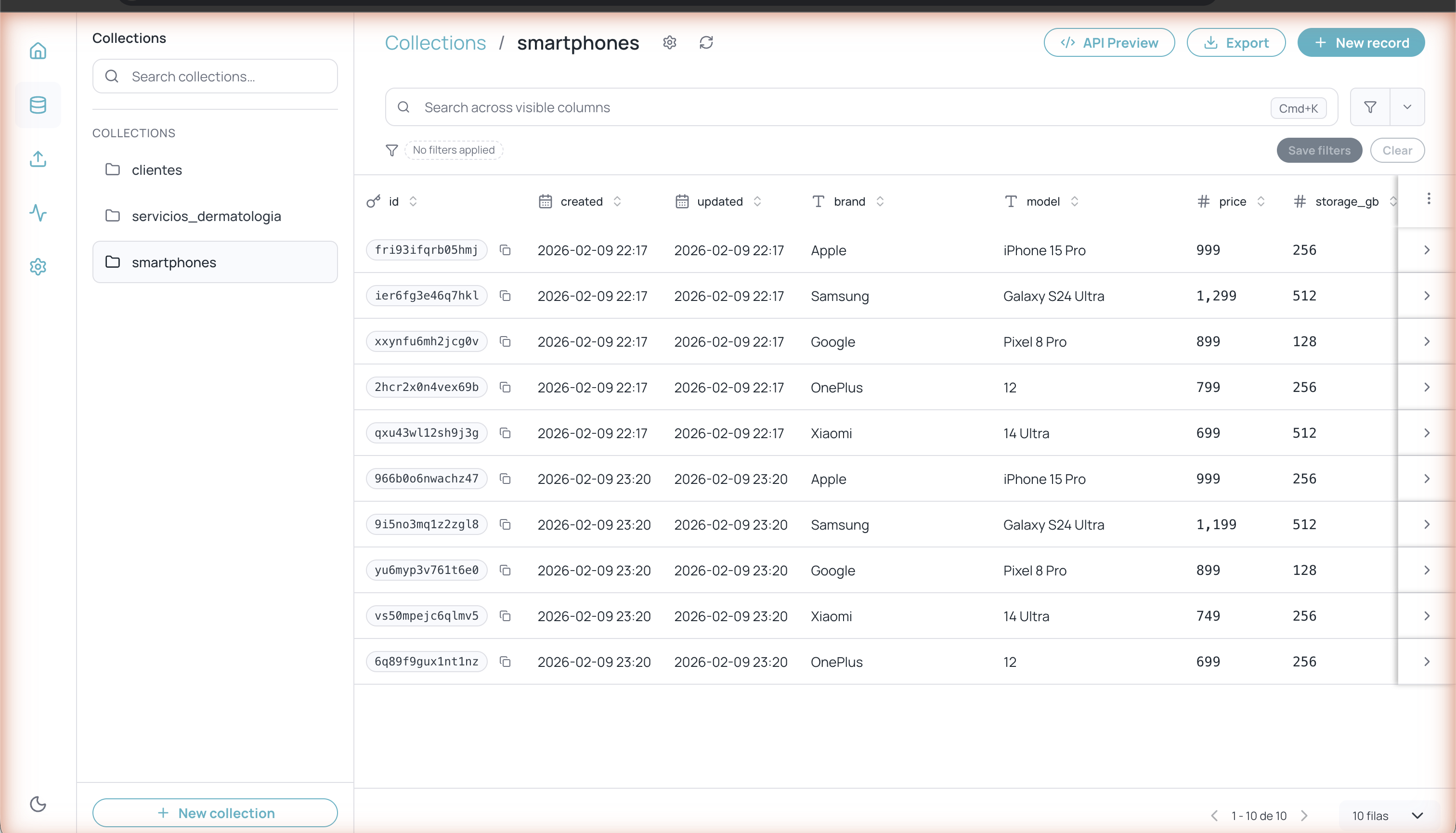
**Databases** is Jelou's managed database solution that lets you create and administer data collections directly from your browser. You don't need to configure servers, manage replicas, or worry about auto-scaling — everything is managed automatically.
With Databases you can store structured information (customers, products, orders, etc.) and connect it with your Brain Studio flows, external APIs, or AI tools via MCP.
 ## Accessing Databases
You can access Databases in two ways:
1. From the Jelou **main dashboard**, click **Databases** in the quick access section
2. From the **left navigation sidebar**
## Main navigation
Databases has five main sections accessible from the icons in the left sidebar:
Create and manage your data tables with typed fields
Create, edit, search, filter, and export records
Bulk-import data from CSV or XLSX files
View usage metrics and activity logs
API Keys, Triggers, MCP, and general settings
## General settings
## Accessing Databases
You can access Databases in two ways:
1. From the Jelou **main dashboard**, click **Databases** in the quick access section
2. From the **left navigation sidebar**
## Main navigation
Databases has five main sections accessible from the icons in the left sidebar:
Create and manage your data tables with typed fields
Create, edit, search, filter, and export records
Bulk-import data from CSV or XLSX files
View usage metrics and activity logs
API Keys, Triggers, MCP, and general settings
## General settings
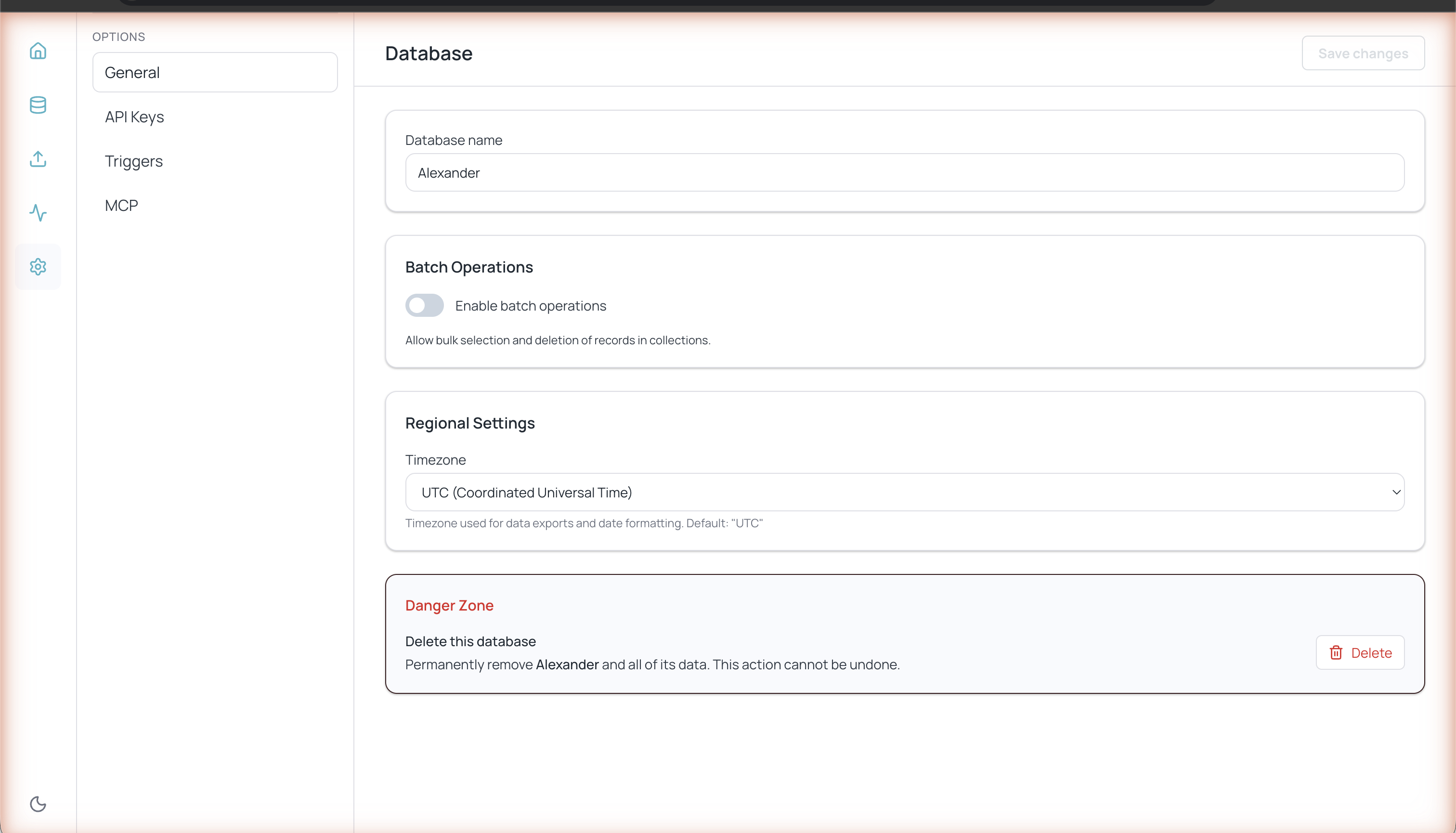 From **Settings > General** you can configure:
* **Database name** — The identifier for your Databases instance
* **Batch operations** — Enable bulk selection and deletion of records in collections
* **Regional settings** — Timezone used for exports and date formatting (UTC by default)
In the **Danger Zone** section you can permanently delete the database and all its data. This action cannot be undone.
From **Settings > General** you can configure:
* **Database name** — The identifier for your Databases instance
* **Batch operations** — Enable bulk selection and deletion of records in collections
* **Regional settings** — Timezone used for exports and date formatting (UTC by default)
In the **Danger Zone** section you can permanently delete the database and all its data. This action cannot be undone.