> ## Documentation Index
> Fetch the complete documentation index at: https://docs.jelou.ai/llms.txt
> Use this file to discover all available pages before exploring further.
# Shop Admin
> Quick walkthrough of the Jelou Shop admin panel for managing your catalog.
The new Jelou Shop UI brings products, categories, branches, and settings together in a single panel, with a live preview of the webview your customers see.
## Access
Open the [Shop Admin panel](https://apps.jelou.ai/shop-v2/products).
## Products
Open in [Products](https://apps.jelou.ai/shop-v2/products).
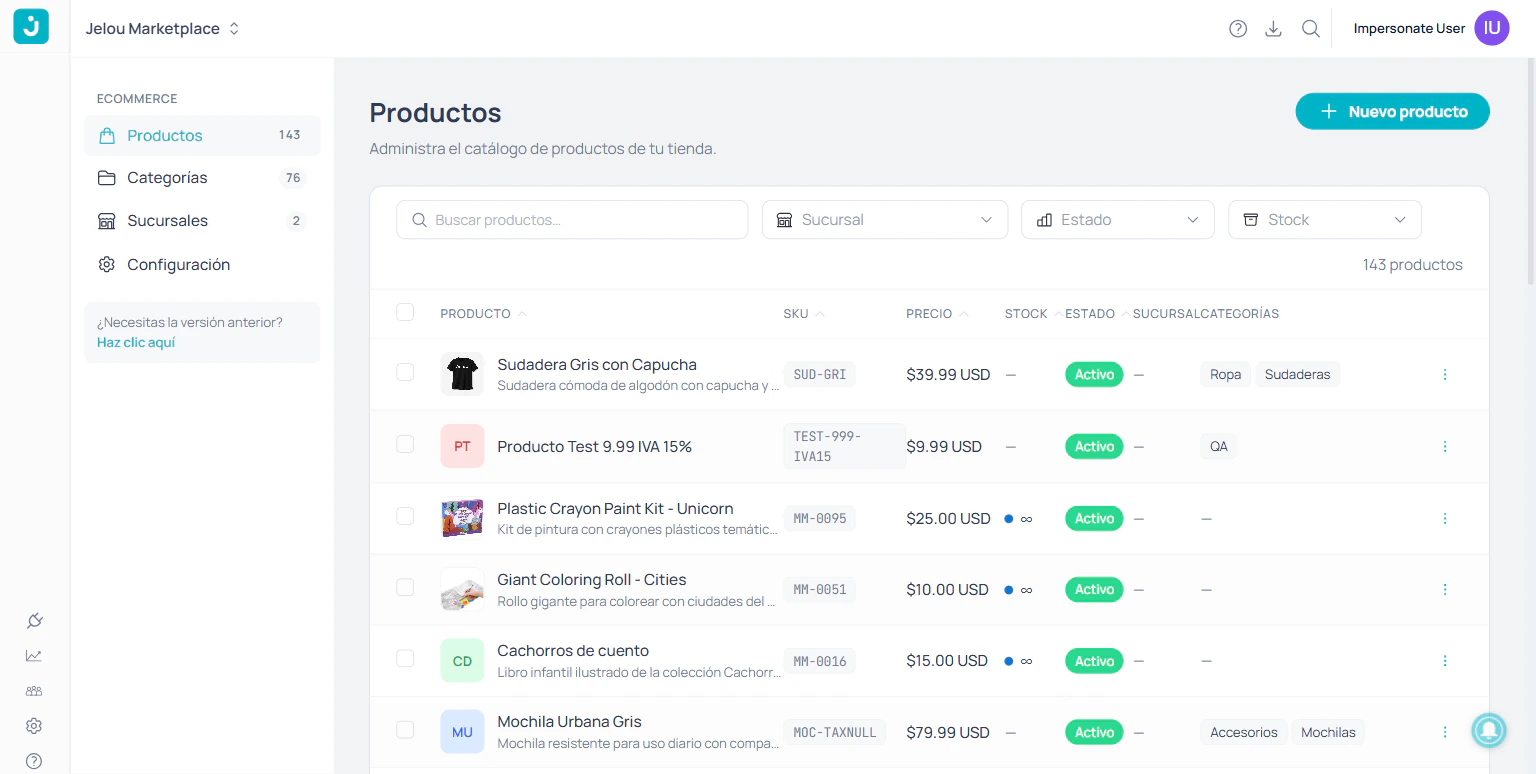
Catalog list with search and filters by **branch**, **status**, and **stock**. Create products with the **+ New product** button.
 When you open a product you'll see the form in collapsible blocks and, on the right, a **live preview** that reflects your changes:
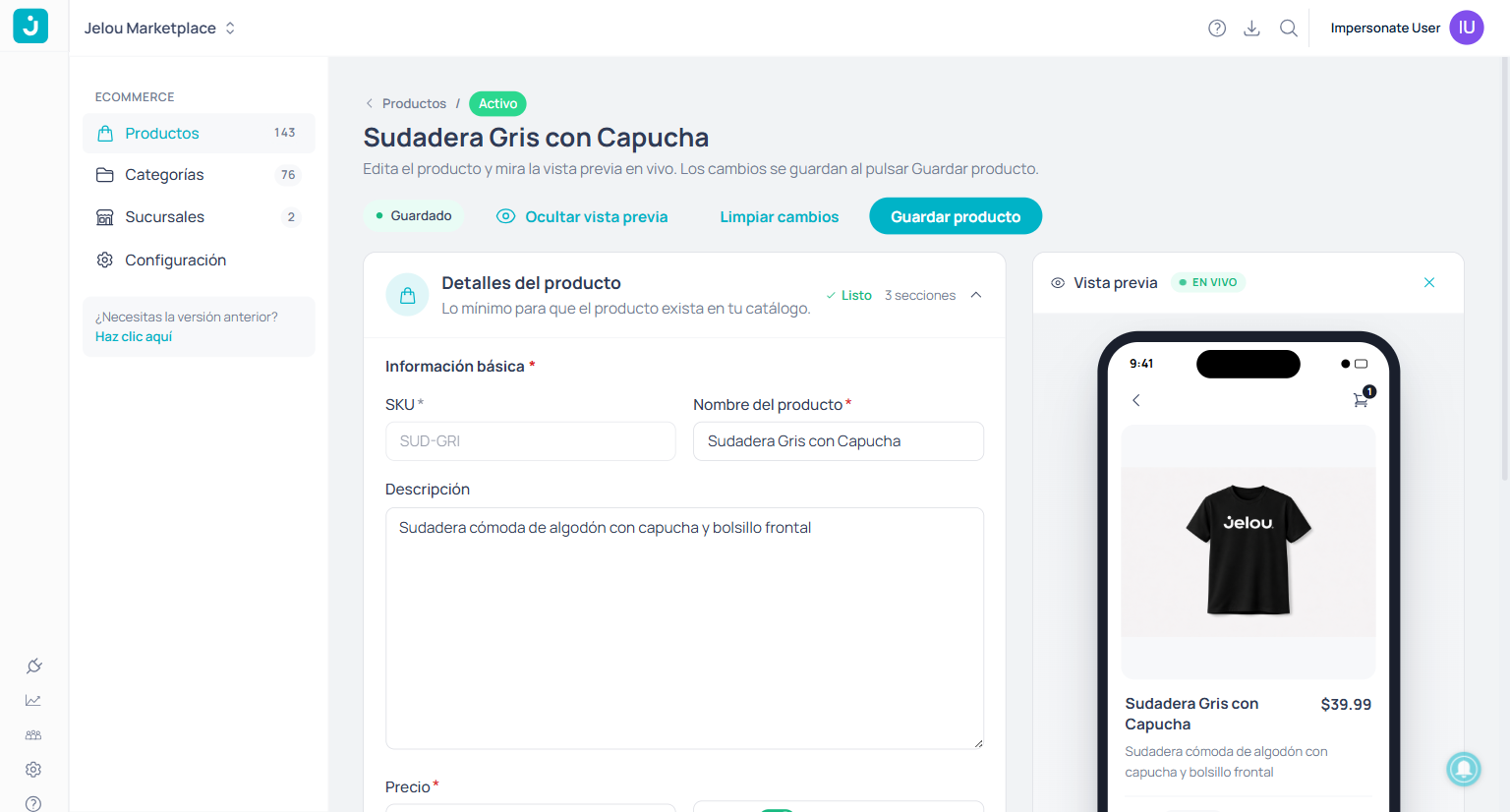 | Block | What it controls |
| ------------------------------ | ----------------------------------------------------------- |
| **Product details** | SKU, name, description, price, images, categories. |
| **Taxes and discounts** | Per-product taxes and discounts (percentage or amount). |
| **Inventory and Branch** | Stock (limited or unlimited) and branch. |
| **Customization** *(advanced)* | Variations, attributes, customer note, and modifier groups. |
| Block | What it controls |
| ------------------------------ | ----------------------------------------------------------- |
| **Product details** | SKU, name, description, price, images, categories. |
| **Taxes and discounts** | Per-product taxes and discounts (percentage or amount). |
| **Inventory and Branch** | Stock (limited or unlimited) and branch. |
| **Customization** *(advanced)* | Variations, attributes, customer note, and modifier groups. |
 ## Categories
Open in [Categories](https://apps.jelou.ai/shop-v2/categories).
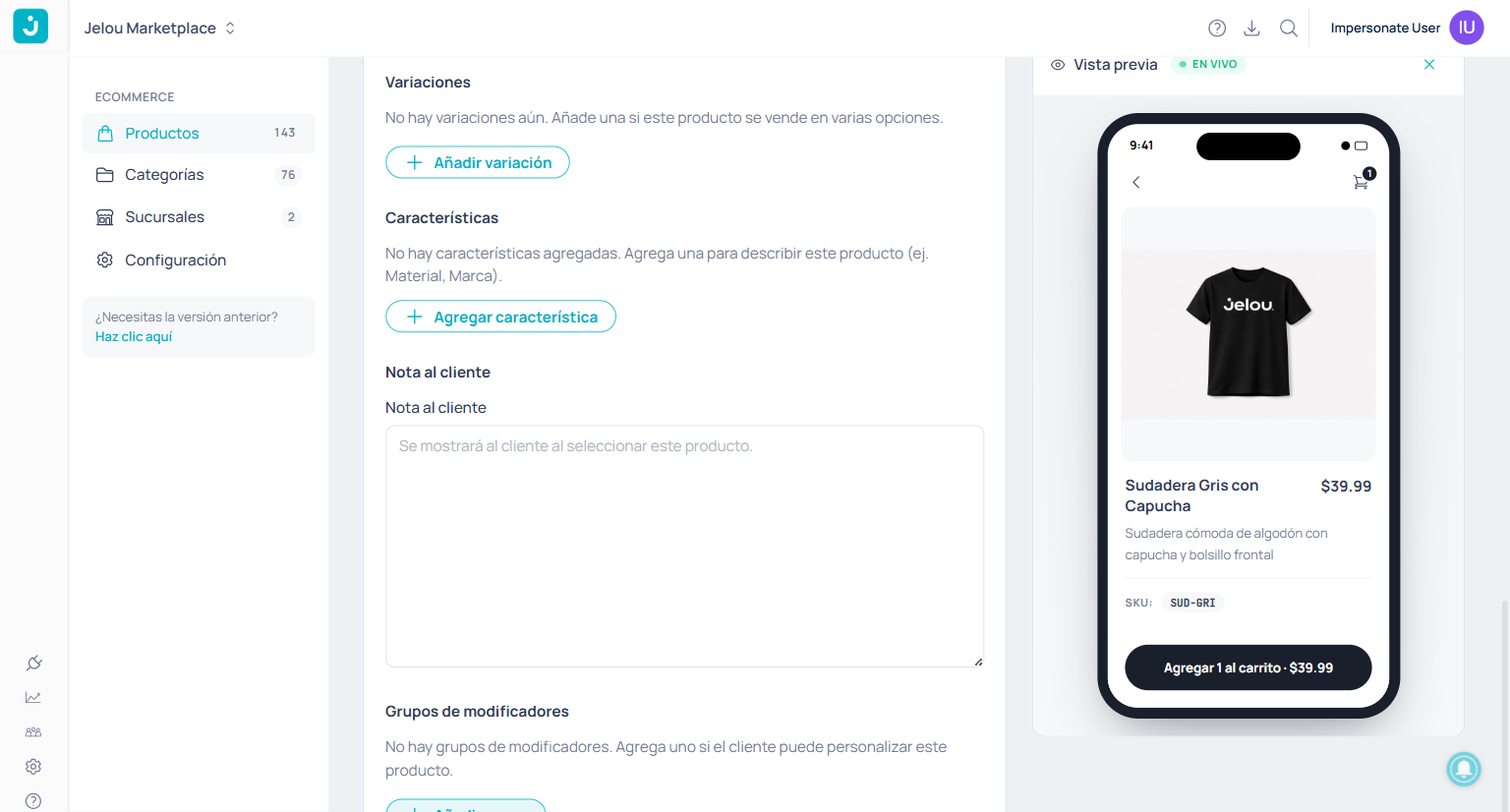
Organize the catalog as a **hierarchical tree** with subcategories. Categories are created automatically when assigned to a product, or manually with **+ New category**.
## Categories
Open in [Categories](https://apps.jelou.ai/shop-v2/categories).
Organize the catalog as a **hierarchical tree** with subcategories. Categories are created automatically when assigned to a product, or manually with **+ New category**.
 ## Branches
Open in [Branches](https://apps.jelou.ai/shop-v2/branches).
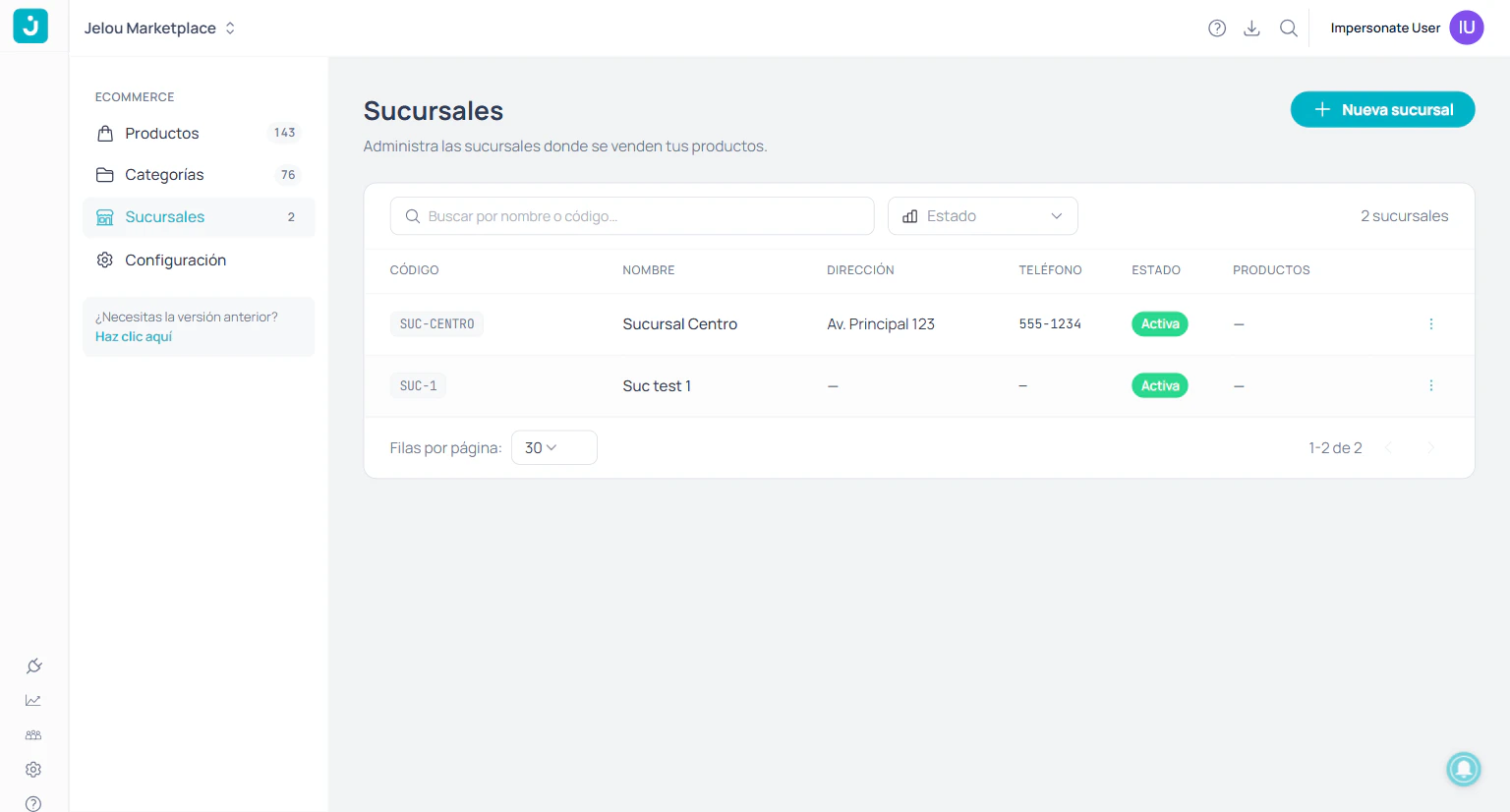
Manage the points of sale where each product is sold. Each branch has **code**, **name**, **address**, **phone**, and **status**.
## Branches
Open in [Branches](https://apps.jelou.ai/shop-v2/branches).
Manage the points of sale where each product is sold. Each branch has **code**, **name**, **address**, **phone**, and **status**.
 ## Settings
Open in [Settings](https://apps.jelou.ai/shop-v2/settings).
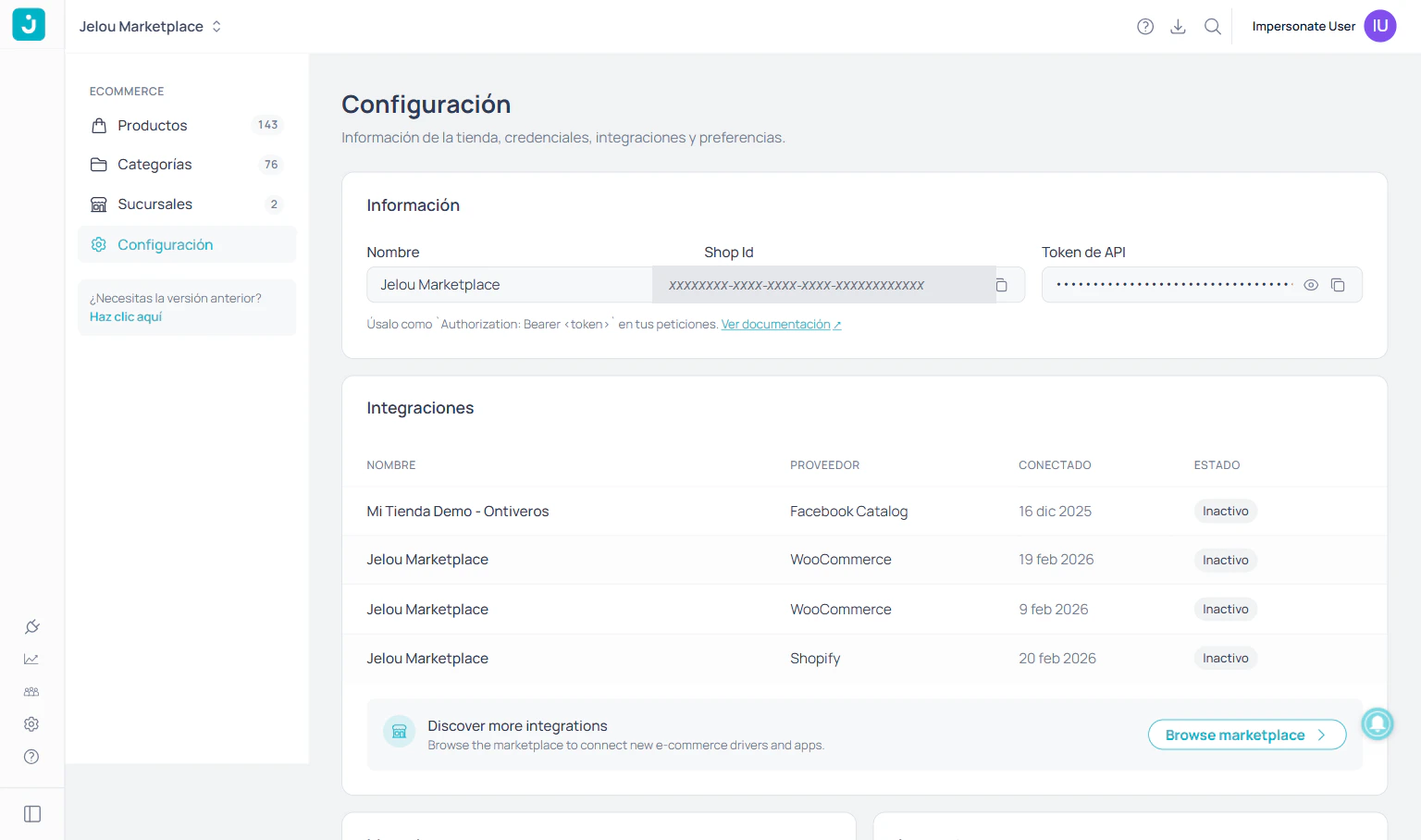
Store information, connected integrations, and global preferences.
## Settings
Open in [Settings](https://apps.jelou.ai/shop-v2/settings).
Store information, connected integrations, and global preferences.
 | Section | What you configure |
| ---------------- | ------------------------------------------------------------------------------------------------------------------------------------------------------------ |
| **Information** | Store name and **Shop ID** (`app_id`). To authenticate your requests to the gateway, generate an API key in [API Keys](/en/guides/configuracion/claves-api). |
| **Integrations** | Status of connectors (Shopify, WooCommerce, Facebook Catalog) and access to the marketplace. |
| **Currency** | ISO 4217 code used to display prices. |
| **Language** | Language used by the store for text and customer communications (`es`, `en`, `pt`). |
| **Taxes** | Global rate and **per-product tax** option for individual rates. |
| **Inventory** | Hide out-of-stock products from listings and searches. |
| Section | What you configure |
| ---------------- | ------------------------------------------------------------------------------------------------------------------------------------------------------------ |
| **Information** | Store name and **Shop ID** (`app_id`). To authenticate your requests to the gateway, generate an API key in [API Keys](/en/guides/configuracion/claves-api). |
| **Integrations** | Status of connectors (Shopify, WooCommerce, Facebook Catalog) and access to the marketplace. |
| **Currency** | ISO 4217 code used to display prices. |
| **Language** | Language used by the store for text and customer communications (`es`, `en`, `pt`). |
| **Taxes** | Global rate and **per-product tax** option for individual rates. |
| **Inventory** | Hide out-of-stock products from listings and searches. |