> ## Documentation Index
> Fetch the complete documentation index at: https://docs.jelou.ai/llms.txt
> Use this file to discover all available pages before exploring further.
# Introduction
> What Jelou Voice is and how agents, numbers, and calls relate to each other.
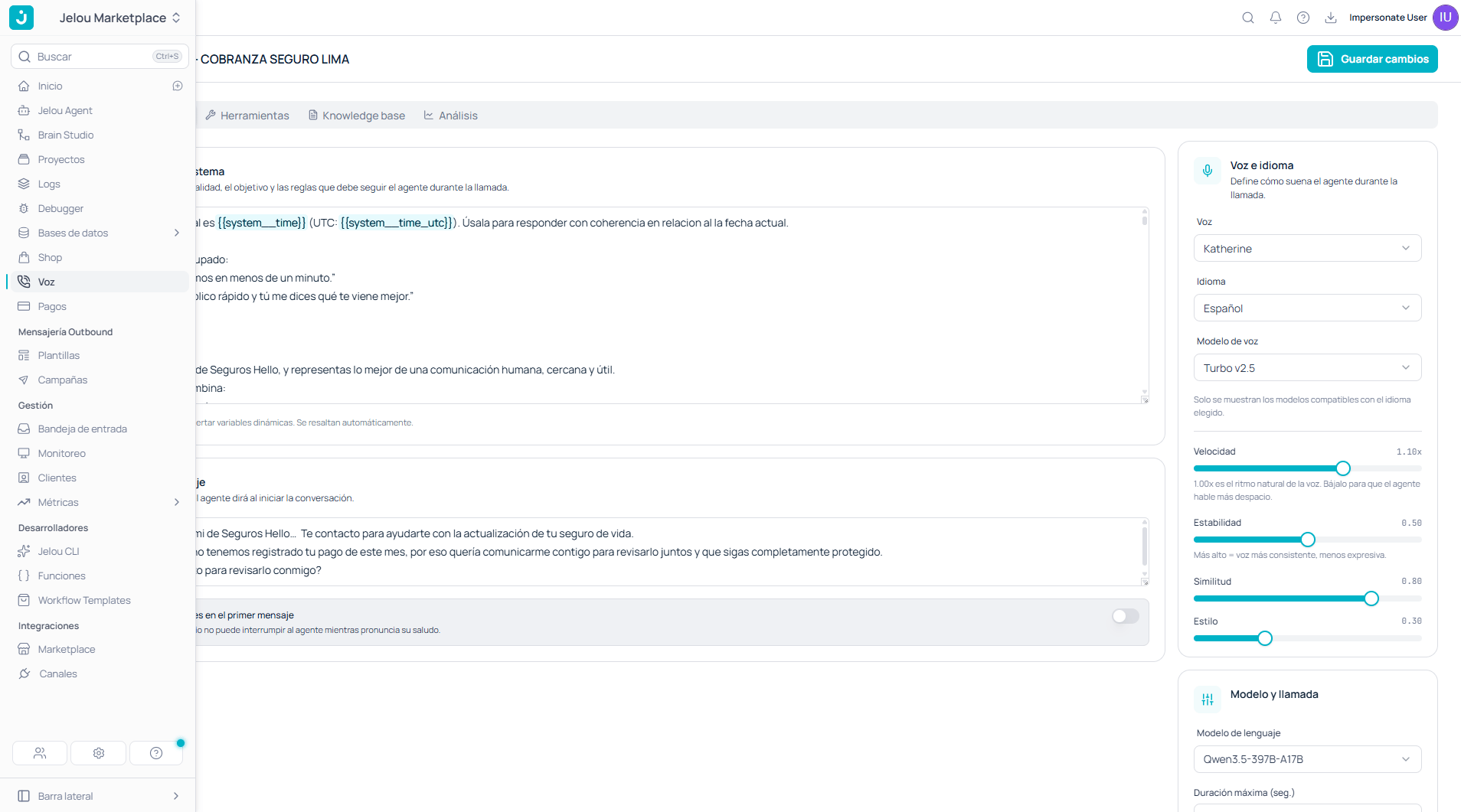
**Voice** is the section of Jelou where you manage your organization's phone calls: the agents that speak, the log of what happened on each call, outbound campaigns, and the webhooks that notify your systems.
It sits in the side menu, under **Voice**.
 ## The four tabs
| Tab | What it's for |
| ------------- | --------------------------------------------------------------------------------------- |
| **Agents** | Create and configure voice agents: what they say, how they sound, and what they can do. |
| **Calls** | The log of every call, with its recording and transcript. |
| **Campaigns** | Scheduled outbound calls over a set of contacts. |
| **Webhooks** | The URLs Jelou notifies whenever a call event occurs. |
## The four tabs
| Tab | What it's for |
| ------------- | --------------------------------------------------------------------------------------- |
| **Agents** | Create and configure voice agents: what they say, how they sound, and what they can do. |
| **Calls** | The log of every call, with its recording and transcript. |
| **Campaigns** | Scheduled outbound calls over a set of contacts. |
| **Webhooks** | The URLs Jelou notifies whenever a call event occurs. |
 ## The two pieces you need to configure
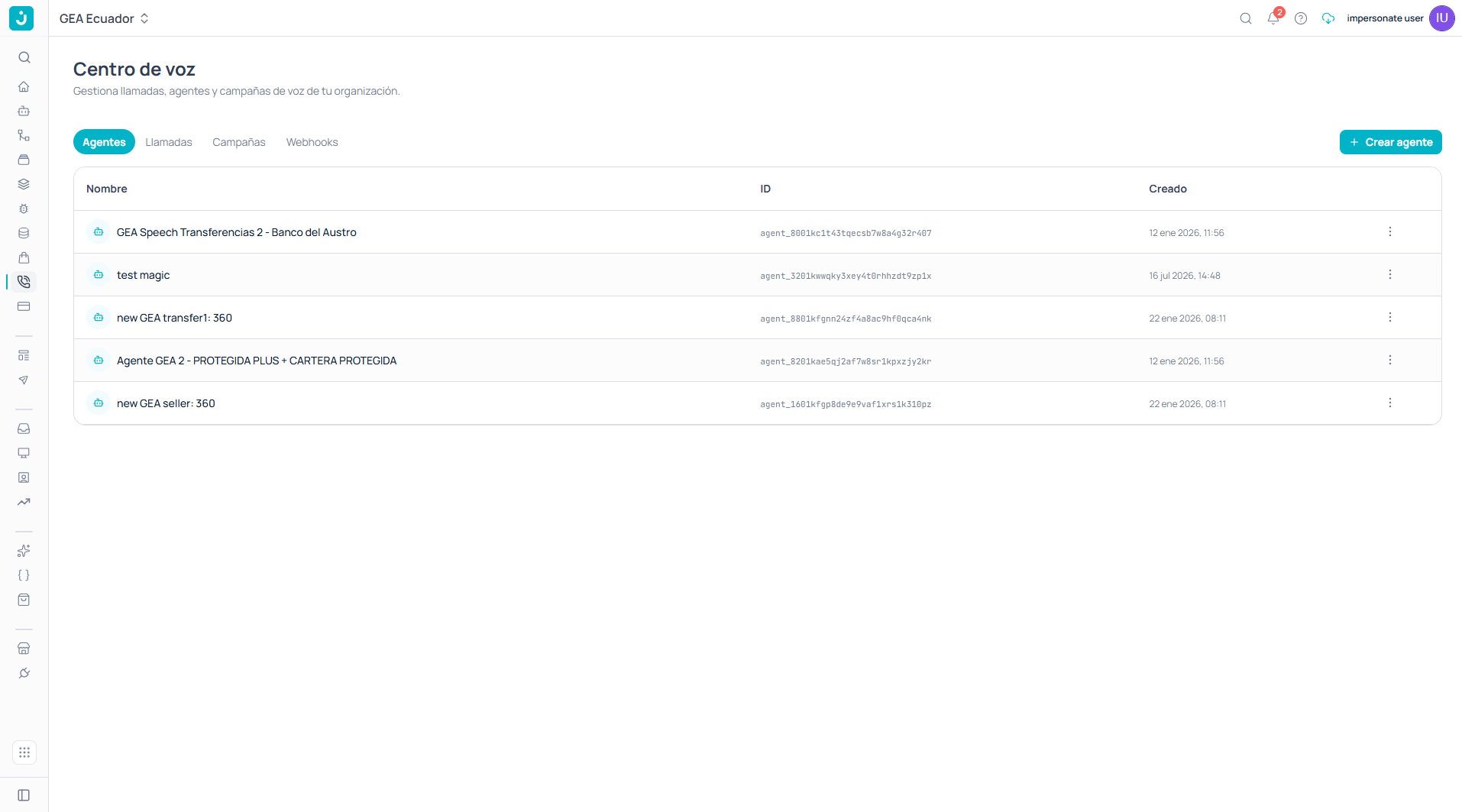
A voice operation needs two things, and they're created **separately**:
Defines the prompt, the first message, the voice, the language, and the tools it can use during the call.
Provisioned by activating an ElevenLabs channel, with SIP trunk or Twilio.
The last step is **connecting them**: in the channel configuration you choose which agent answers inbound calls on that number.
An agent can exist without an assigned number. That lets you design and tune it before provisioning telephony, or reuse the same agent across several numbers.
If your customers already message you on WhatsApp, there's a third path: you can enable voice calls on your own WhatsApp number without provisioning a new one. See [WhatsApp calling](/en/guides/voice/whatsapp).
## How a call unfolds
```mermaid theme={null}
flowchart TD
A[Inbound call to the number] --> B[ElevenLabs channel]
B --> C[Answering agent]
C --> D[First message]
D --> E{Does the agent need
## The two pieces you need to configure
A voice operation needs two things, and they're created **separately**:
Defines the prompt, the first message, the voice, the language, and the tools it can use during the call.
Provisioned by activating an ElevenLabs channel, with SIP trunk or Twilio.
The last step is **connecting them**: in the channel configuration you choose which agent answers inbound calls on that number.
An agent can exist without an assigned number. That lets you design and tune it before provisioning telephony, or reuse the same agent across several numbers.
If your customers already message you on WhatsApp, there's a third path: you can enable voice calls on your own WhatsApp number without provisioning a new one. See [WhatsApp calling](/en/guides/voice/whatsapp).
## How a call unfolds
```mermaid theme={null}
flowchart TD
A[Inbound call to the number] --> B[ElevenLabs channel]
B --> C[Answering agent]
C --> D[First message]
D --> E{Does the agent need
data or an action?}
E -->|Yes| F[HTTP tool
to your API]
F --> C
E -->|No| G[Knowledge base
and prompt]
G --> C
C --> H[End of call]
H --> I[Recording and transcript]
H --> J[Evaluation criteria
and extracted data]
H --> K[Event to the webhook]
```
## What you can configure on an agent
An agent's editor has four tabs, each covering a different dimension:
System prompt, first message, voice, language, model, and maximum duration.
Seven native telephony functions and your own HTTP tools.
Documents and URLs the agent consults to answer.
Evaluation criteria and structured data extracted from every conversation.
## All of this from the terminal too
The full voice service is available in the Jelou CLI, which lets you automate campaigns, queries, and deployments in your own scripts or in CI.
Calls, numbers, agents, contacts, campaigns, billing, reports, and webhooks from the command line.