
Access
Open the Shop Admin panel.Products
Open in Products. Catalog list with search and filters by branch, status, and stock. Create products with the + New product button.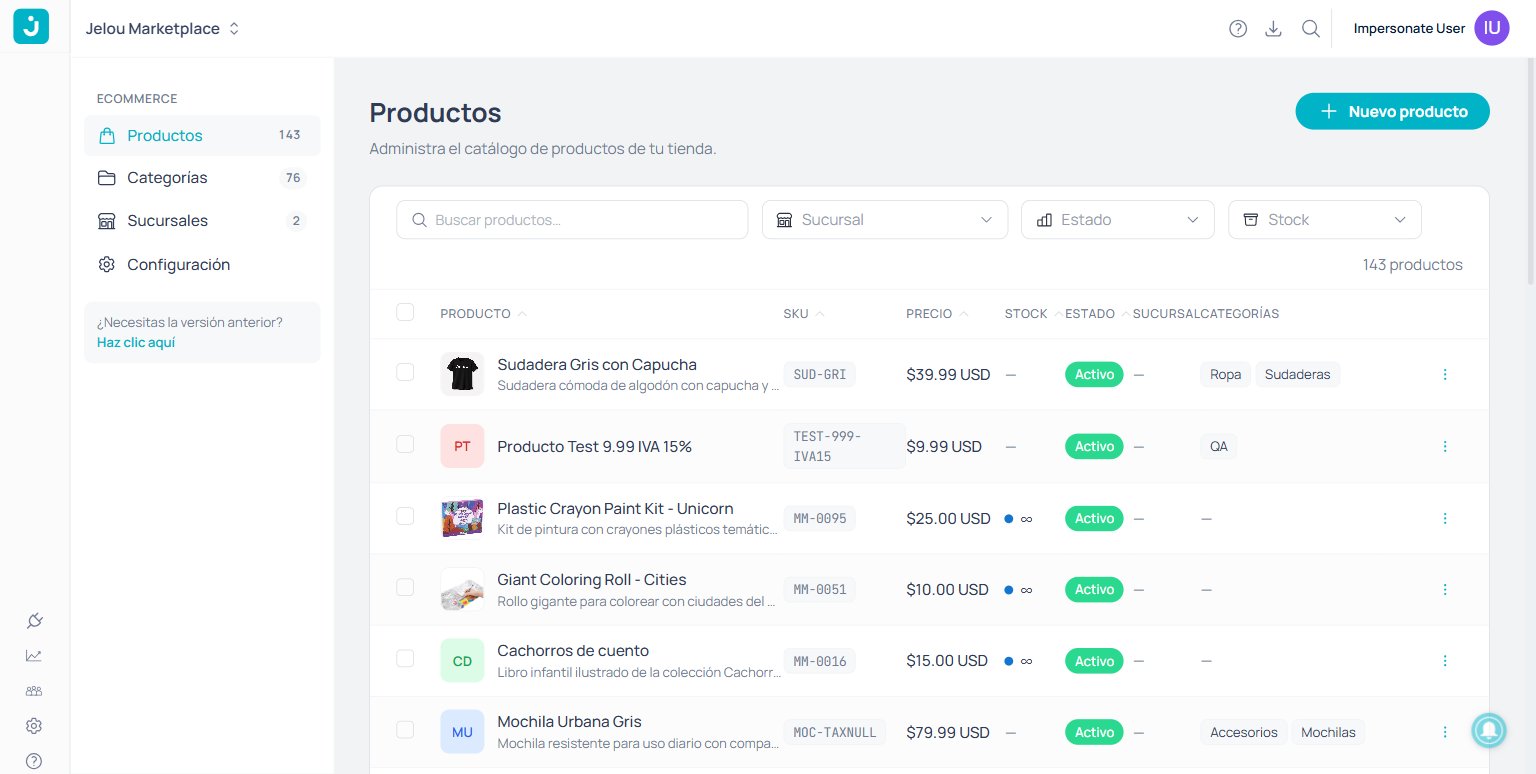
Product list with filters by branch, status, and stock.
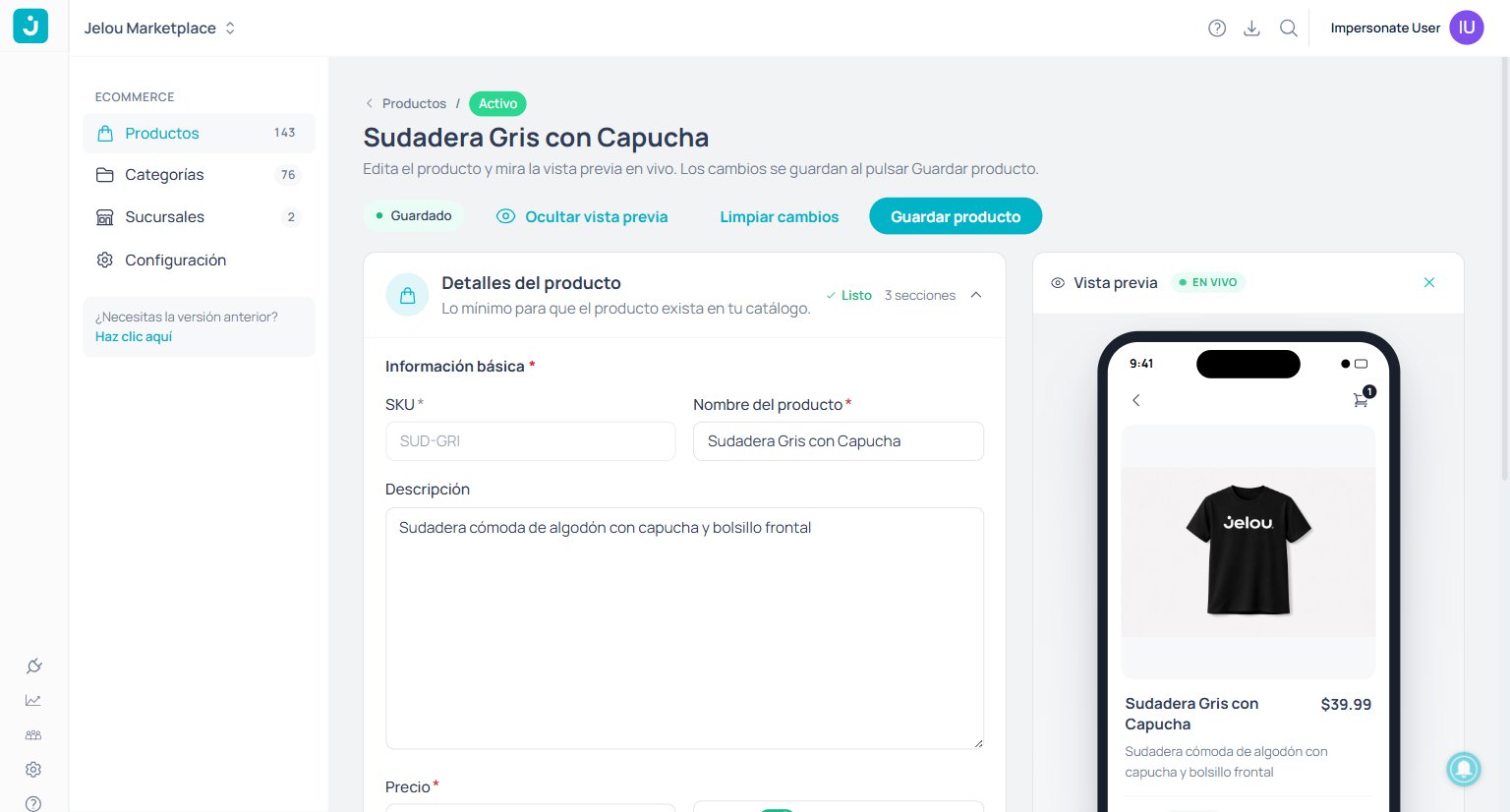
Product detail with a live preview of the webview.
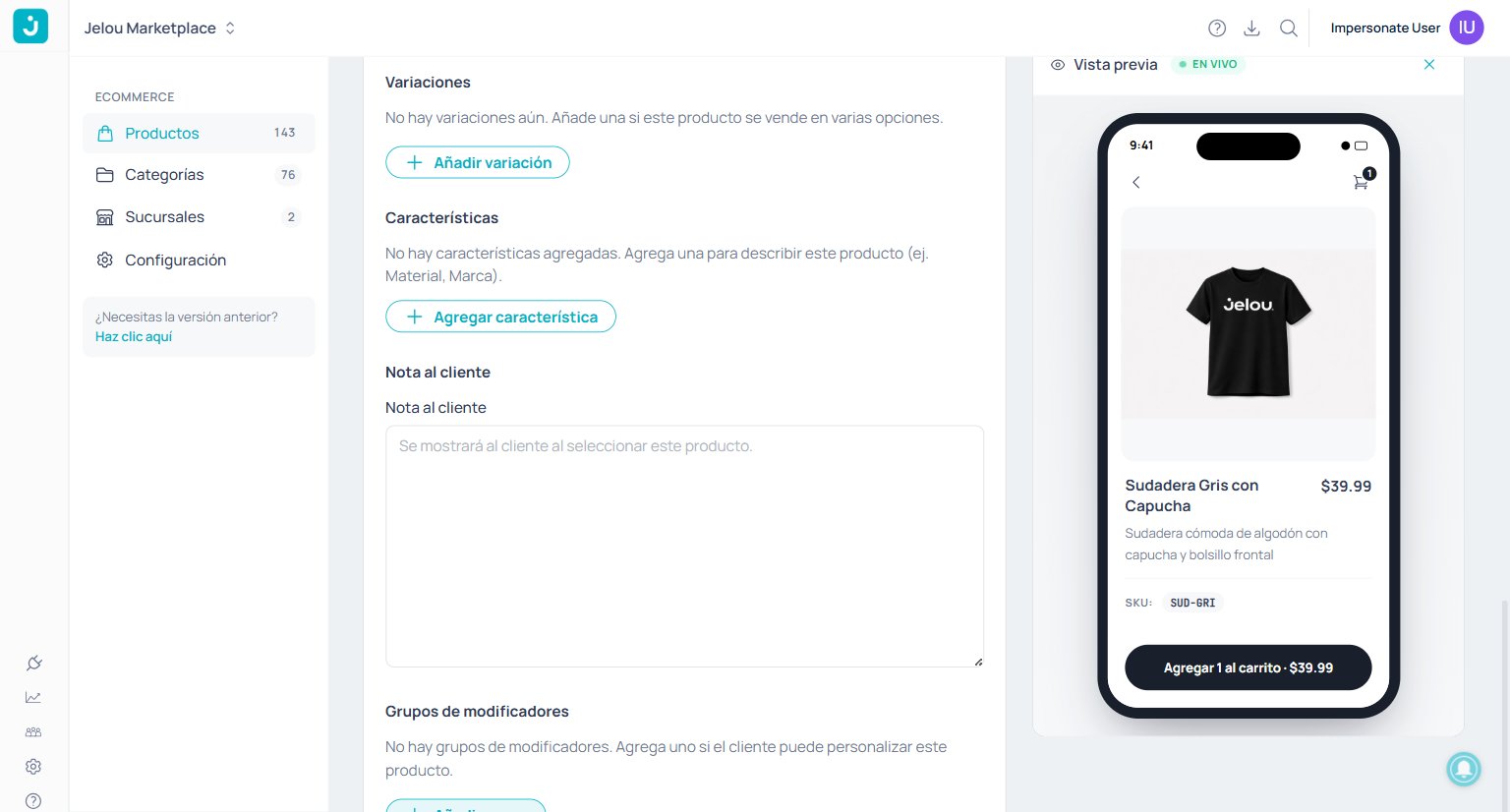
Customization block with variations, attributes, and modifiers.
Categories
Open in Categories. Organize the catalog as a hierarchical tree with subcategories. Categories are created automatically when assigned to a product, or manually with + New category.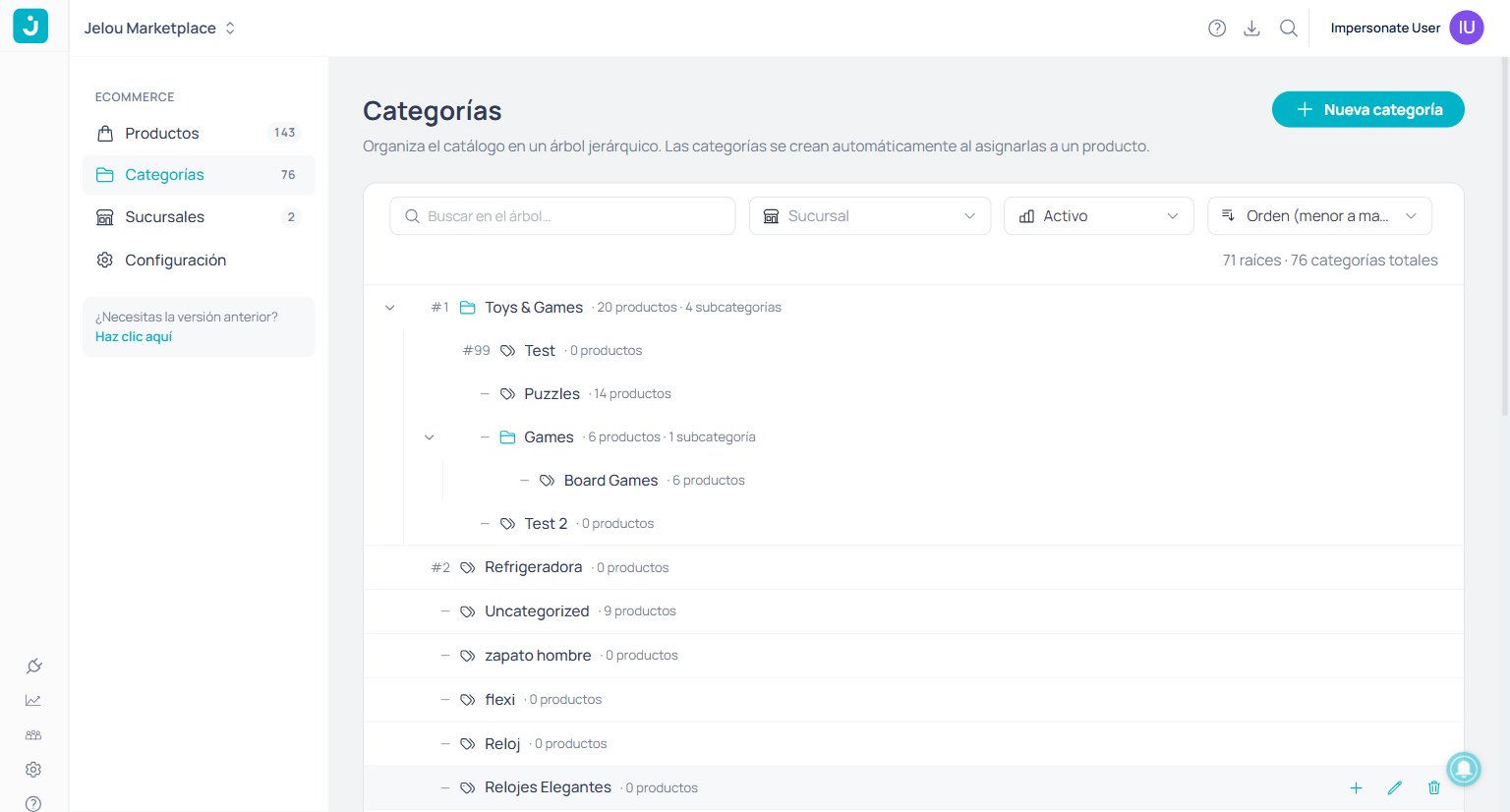
Hierarchical tree with subcategories and product count per node.
Branches
Open in Branches. Manage the points of sale where each product is sold. Each branch has code, name, address, phone, and status.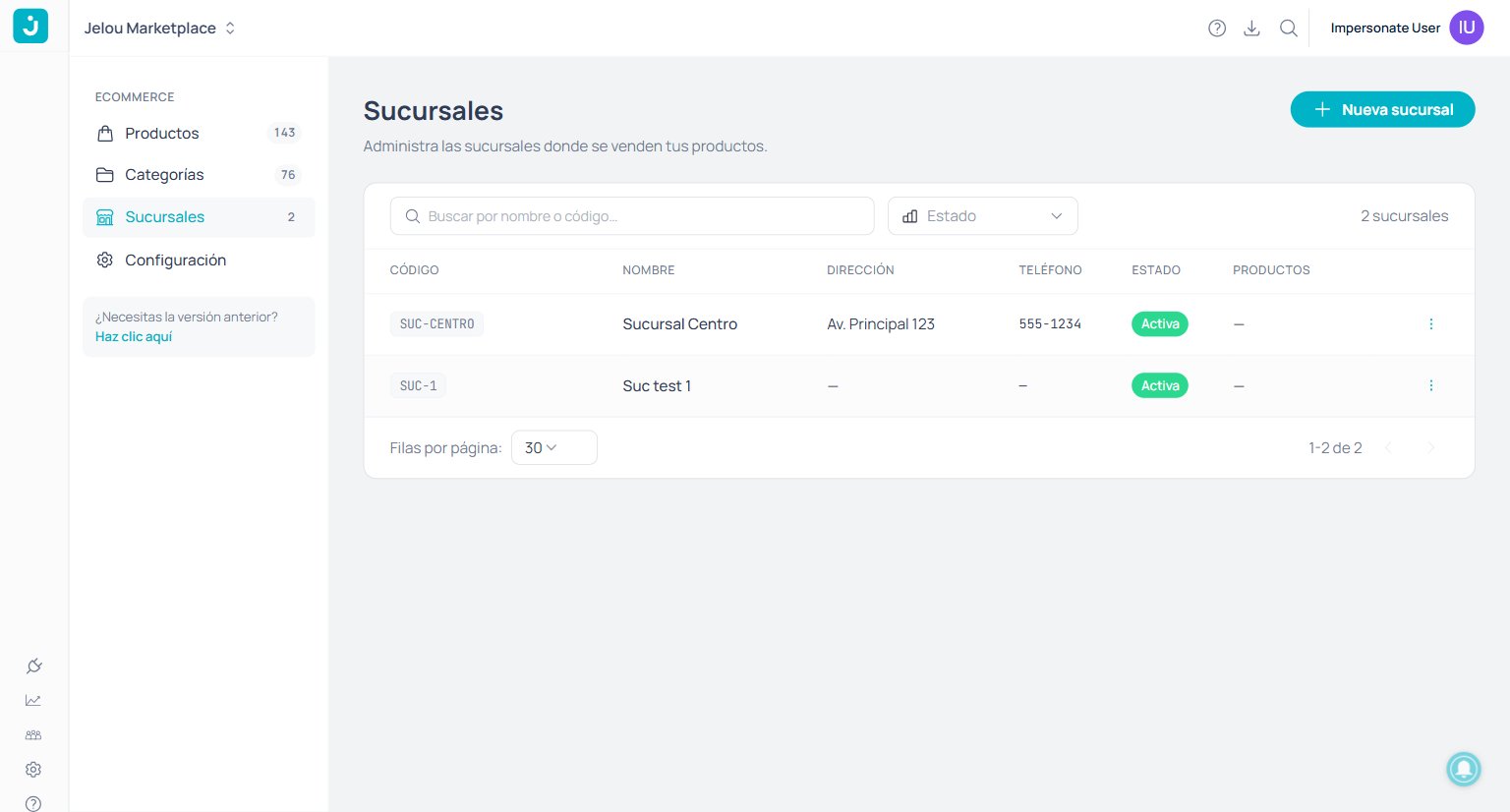
Branch list with code, name, address, and status.
Promotions
Open in Promotions. Create and manage discount coupons for your store. Use the search box (by code or name) and the filters by state and type. Create coupons with the + New coupon button.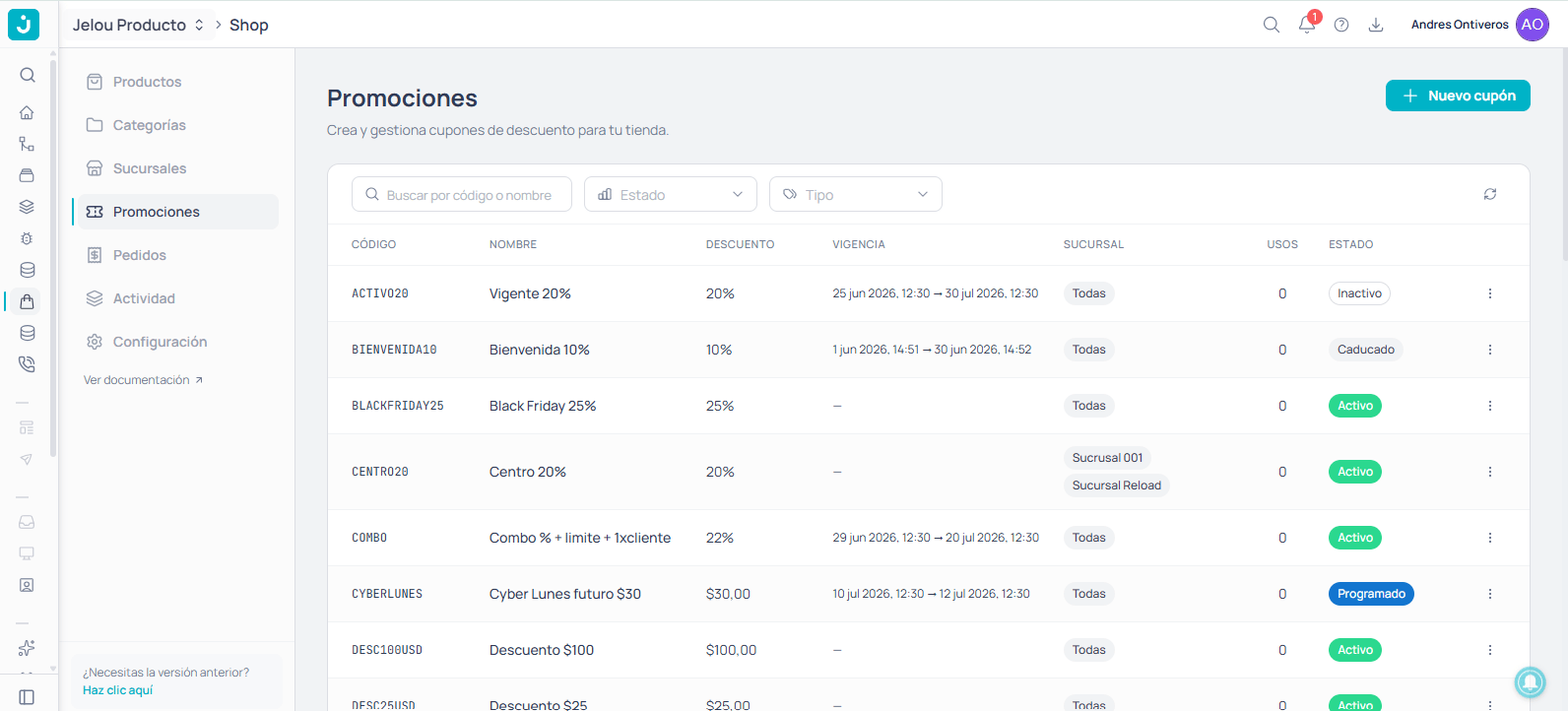
Coupon list with code, discount, validity, branch, uses, and state.
Each coupon’s state is computed automatically:
The discount is validated and applied at the webview checkout. An invalid, expired, or out-of-branch coupon is rejected with a clear message.
Orders
Open in Orders. Review the list of your customers’ carts with their state and recent activity. Use the search box (by ID, reference, or customer), the state filter, and the date range. Each row opens its detail with View detail.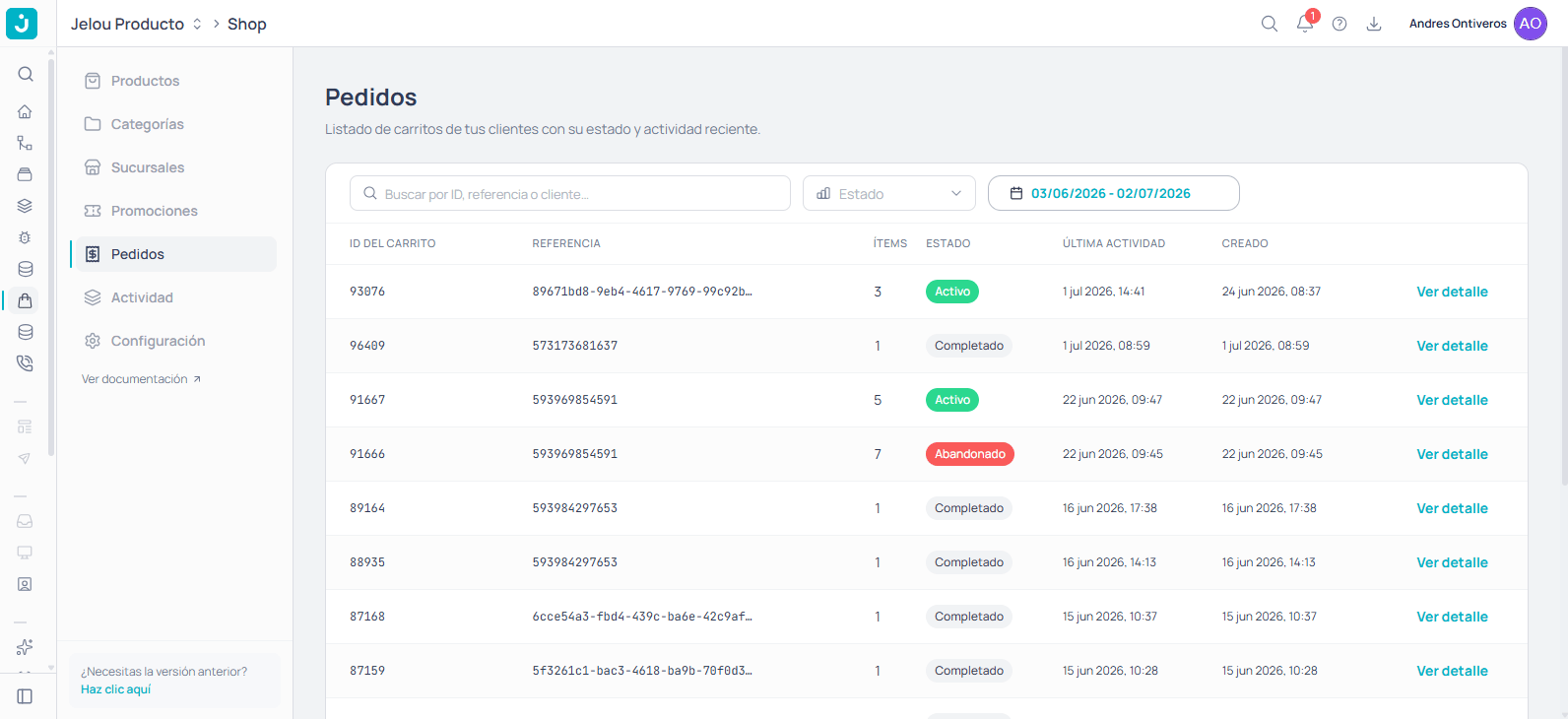
Order list with cart ID, reference, items, state, and dates.
Activity
Open in Activity. Review the complete history of changes in your store. Filter by entity, action, source, and date range, or search by author, SKU, name, or ID. You can download the history.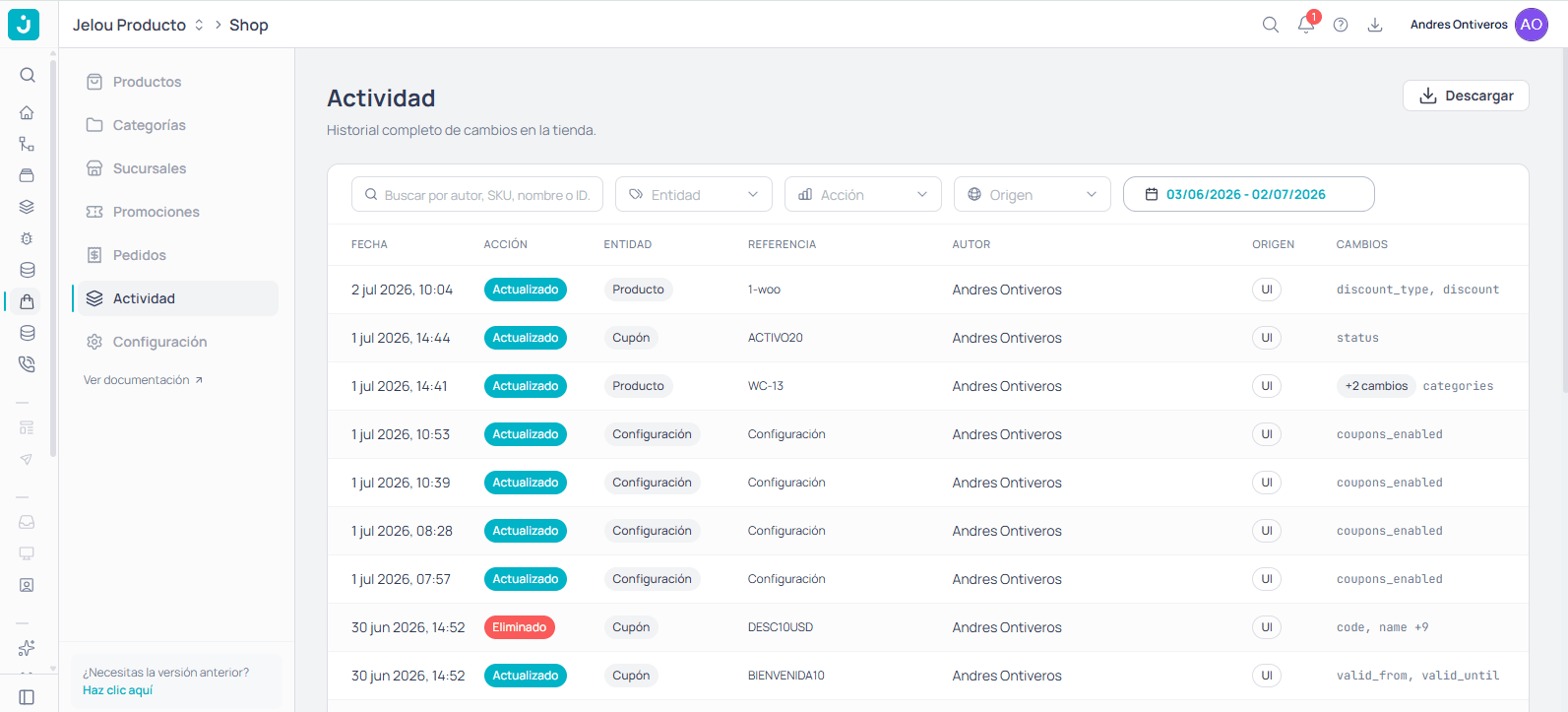
Activity history with date, action, entity, author, source, and changed fields.
Settings
Open in Settings. Store information, connected integrations, and global preferences.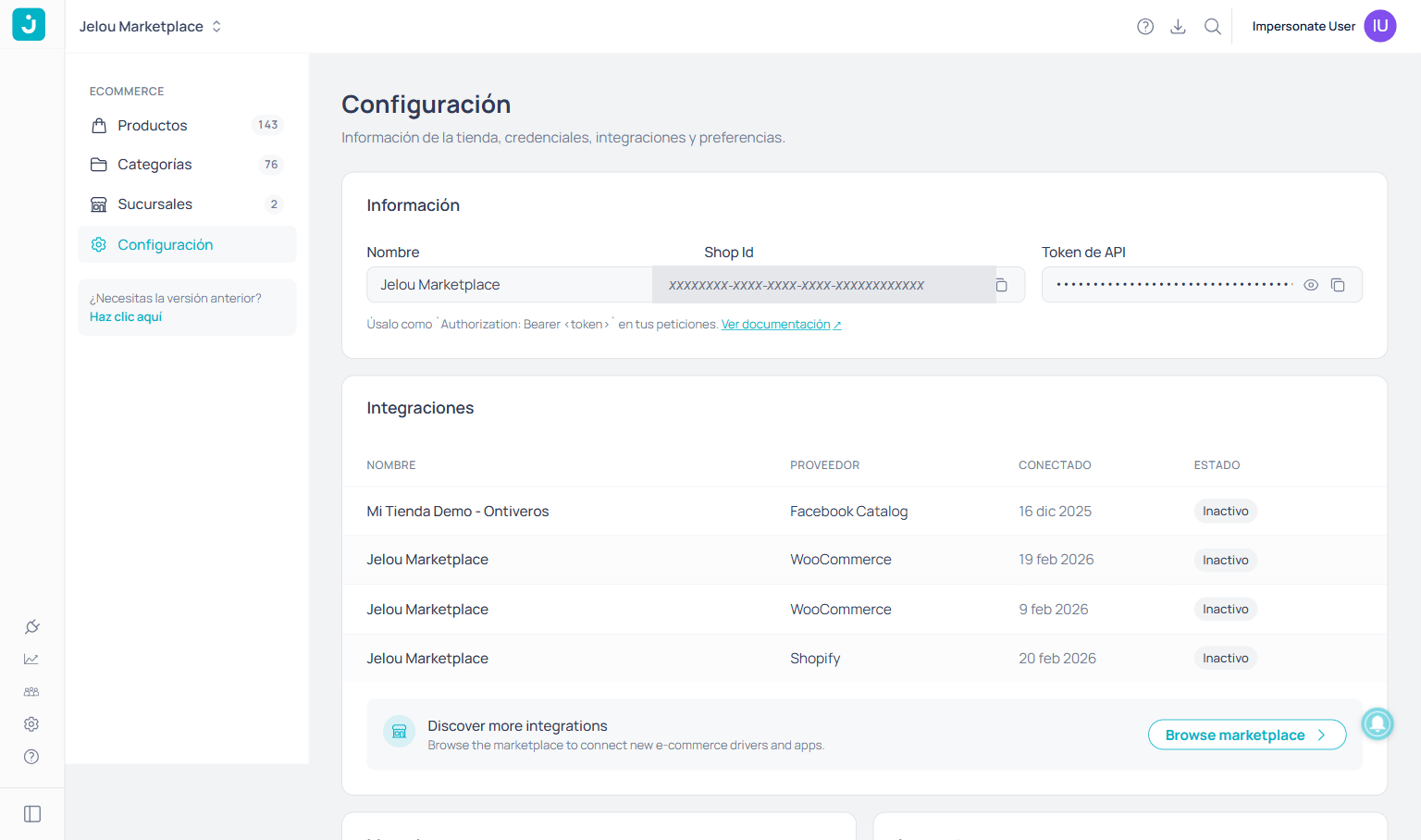
Settings screen with credentials, integrations, and preferences.