
What is Databases?
Databases is Jelou’s managed database solution that lets you create and administer data collections directly from your browser. You don’t need to configure servers, manage replicas, or worry about auto-scaling — everything is managed automatically. With Databases you can store structured information (customers, products, orders, etc.) and connect it with your Brain Studio flows, external APIs, or AI tools via MCP.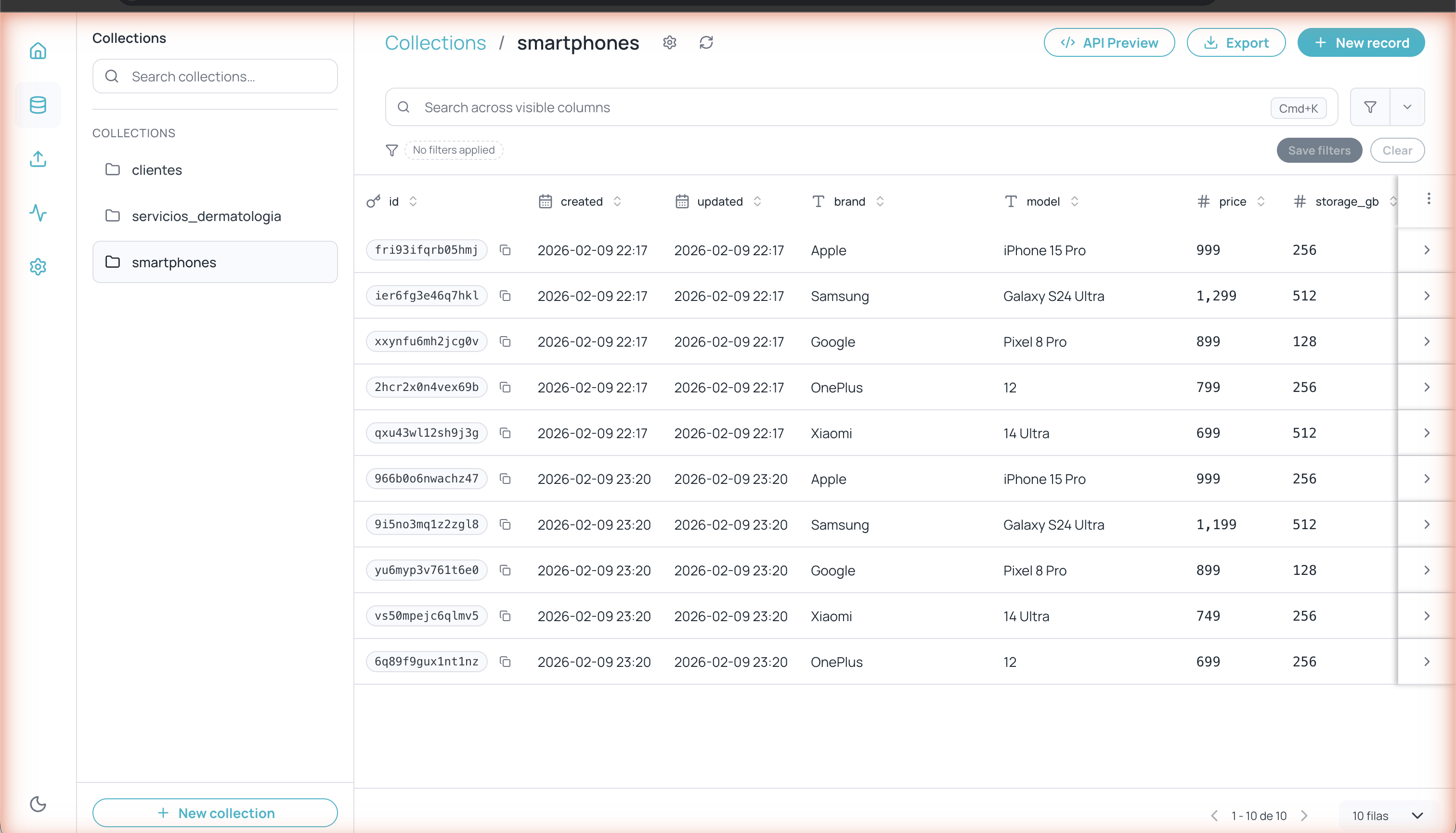
Main collections view in Databases
Accessing Databases
You can access Databases in two ways:- From the Jelou main dashboard, click Databases in the quick access section
- From the left navigation sidebar
Main navigation
The left sidebar gives you access to the main sections: Home, Collections, Imports, Monitor, and Settings. Records are managed inside each collection, not from a separate sidebar icon.Collections
Create and manage your data tables with typed fields
Records
Create, edit, search, filter, and export records within a collection
Imports
Bulk-import data from CSV or XLSX files
Monitor
View usage metrics and activity logs
API Keys & Settings
API Keys, Triggers, MCP, and general settings
General settings
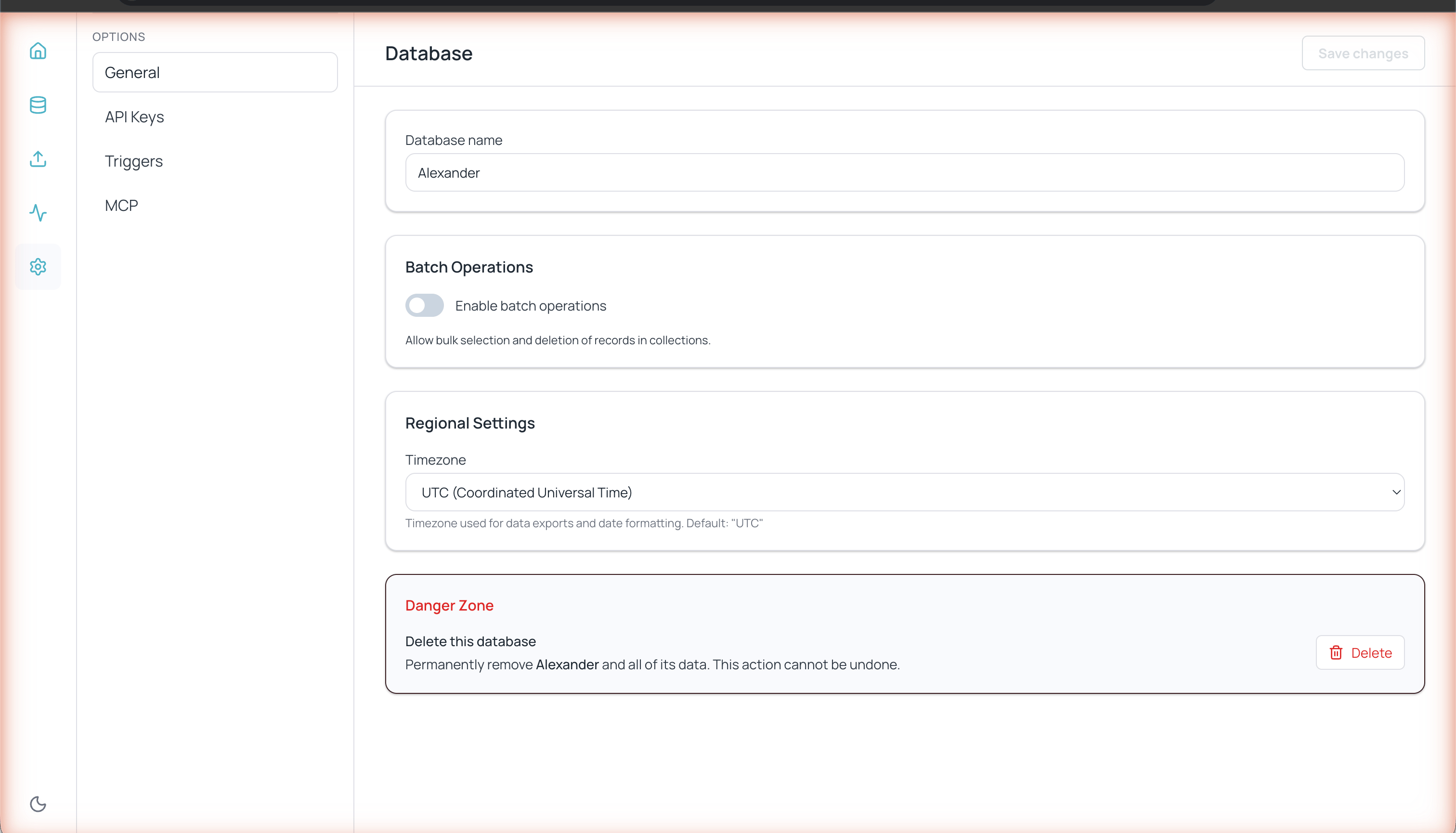
General database settings
- Database name — The identifier for your Databases instance
- Batch operations — Enables bulk selection and deletion of records in collections
- Regional settings — Timezone used for exports and date formatting (UTC by default)
- Upgrade — Move up to a larger compute or storage plan. Downgrades are not allowed; the database must be active and the data volume is preserved.
- Reprovision — Rebuilds the database. Your data is preserved, but the database goes offline for a few minutes; you’ll see a progress screen that refreshes automatically.
- Delete — Permanently deletes the database and all its data.