
What it looks like for the payer
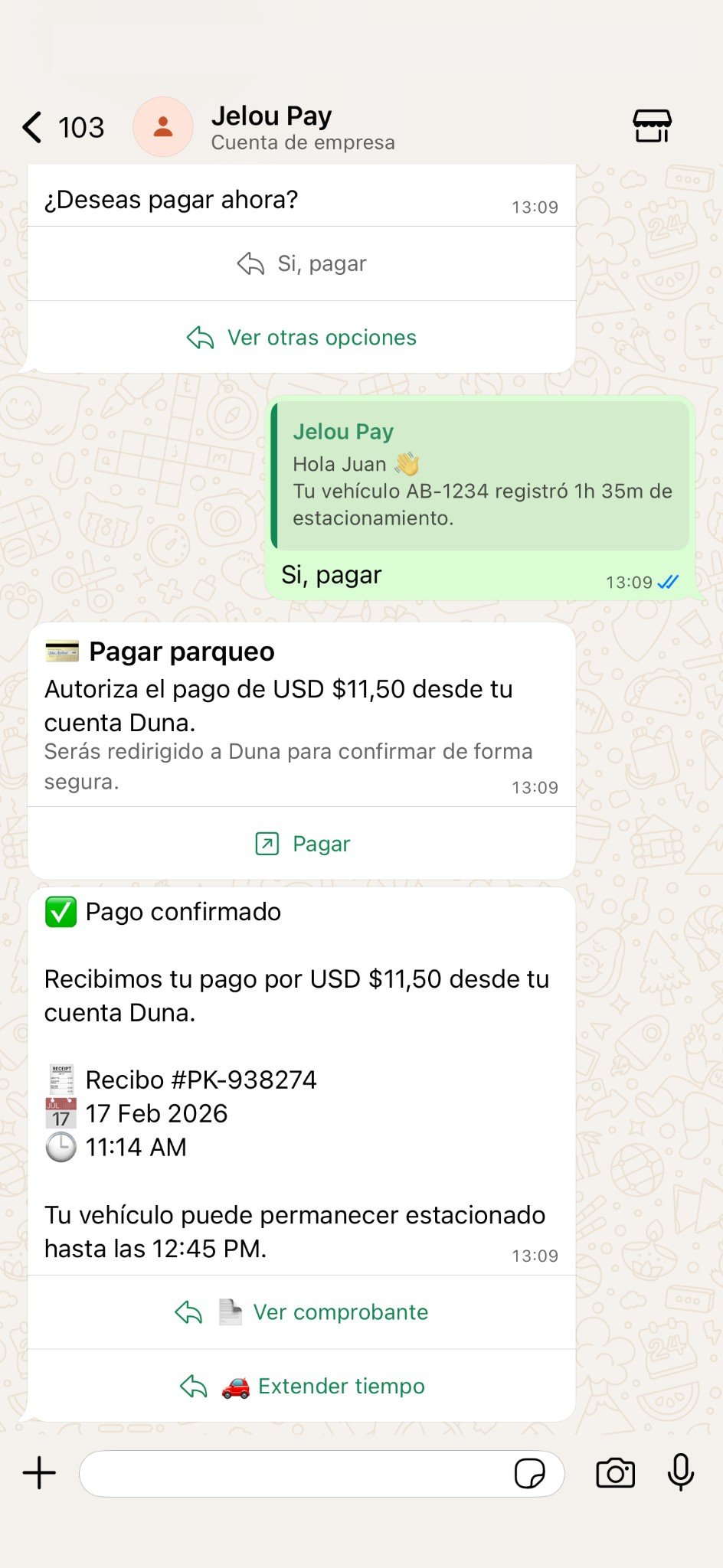
Conversational flow in WhatsApp
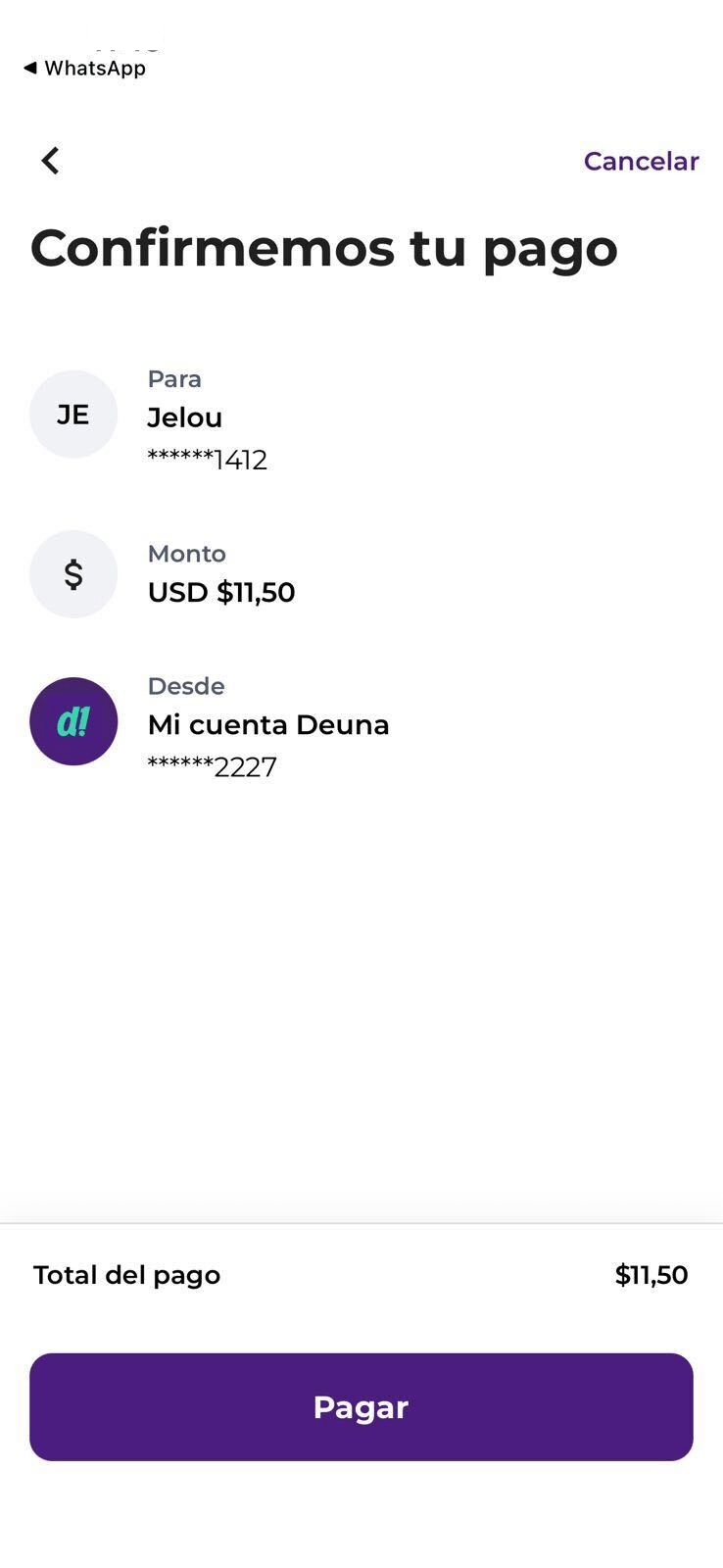
Confirmation in the Deuna app
Scope of this experience
- Initiates the payment from a button or link within the conversation.
- The user confirms the transaction in an external provider app.
- The provider sends the official payment status.
- Brain Studio continues the flow based on that status.
- Does not capture card data in chat.
- Does not open a WebView inside WhatsApp.
Prerequisites
To implement external confirmation you need:- Install a compatible provider from Marketplace (BYOK model).
- Configure valid provider credentials.
- Model status handling within your flow or agent.