
1
Go to the Campaigns module
From the dashboard, click
Campaigns.Select the +Send Campaigns button.2
Assign a name to the campaign
Write a clear and easy-to-identify name.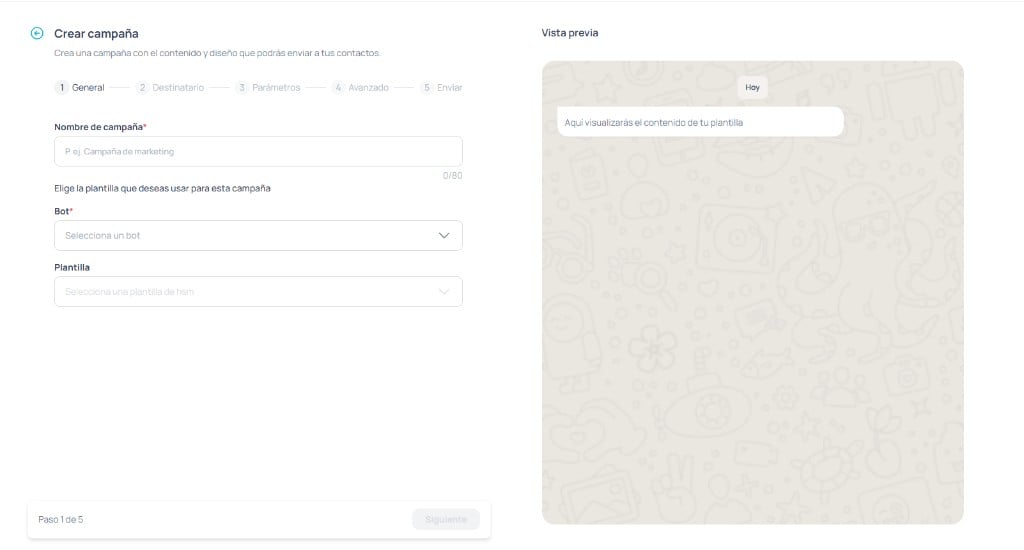
3
Select the template
Choose:
- The associated channel
- The WhatsApp-approved template
4
Load the recipients
Upload a CSV file with your contact database.Basic rules:
- The first column must be the phone number with the country code.
- You can include additional columns for personalization.
5
Configure the parameters
Map each template parameter to a CSV column.This allows each person to receive their message with personalized data.
6
Define the campaign configuration
You can:
- Use a saved configuration
- Create a new one from scratch
- Button behavior
- CRM data preloading
- Rules for interaction with human support
7
Send or schedule
Choose whether you want to:
- Send the campaign immediately
- Schedule it for a specific date and time
8
Review the results
Approximately one hour after sending you will be able to see metrics on the dashboard.Available metrics:
- Delivered
- Received
- Read
- Replied