
How to use it
1
Open the canvas
In Brain Studio, go to the Tools tab and open the one you want to compose (or create a new one).
2
Drag another from the picker
The Tools picker appears on the canvas. Drag in the one you need; it is inserted as a node with its
toolId.The Tool you are editing does not appear in the list — you cannot reference yourself.3
Configure inputs and outputs
Map the child Tool’s inputs (memory variables,
$input, or fixed values). Declared types (NUMBER, BOOLEAN, OBJECT, ARRAY) are preserved on invocation; they are not passed as strings.4
Publish
Publish the parent Tool. On save and publish, the platform rejects self-references and detects cycles (for example, A → B → A).
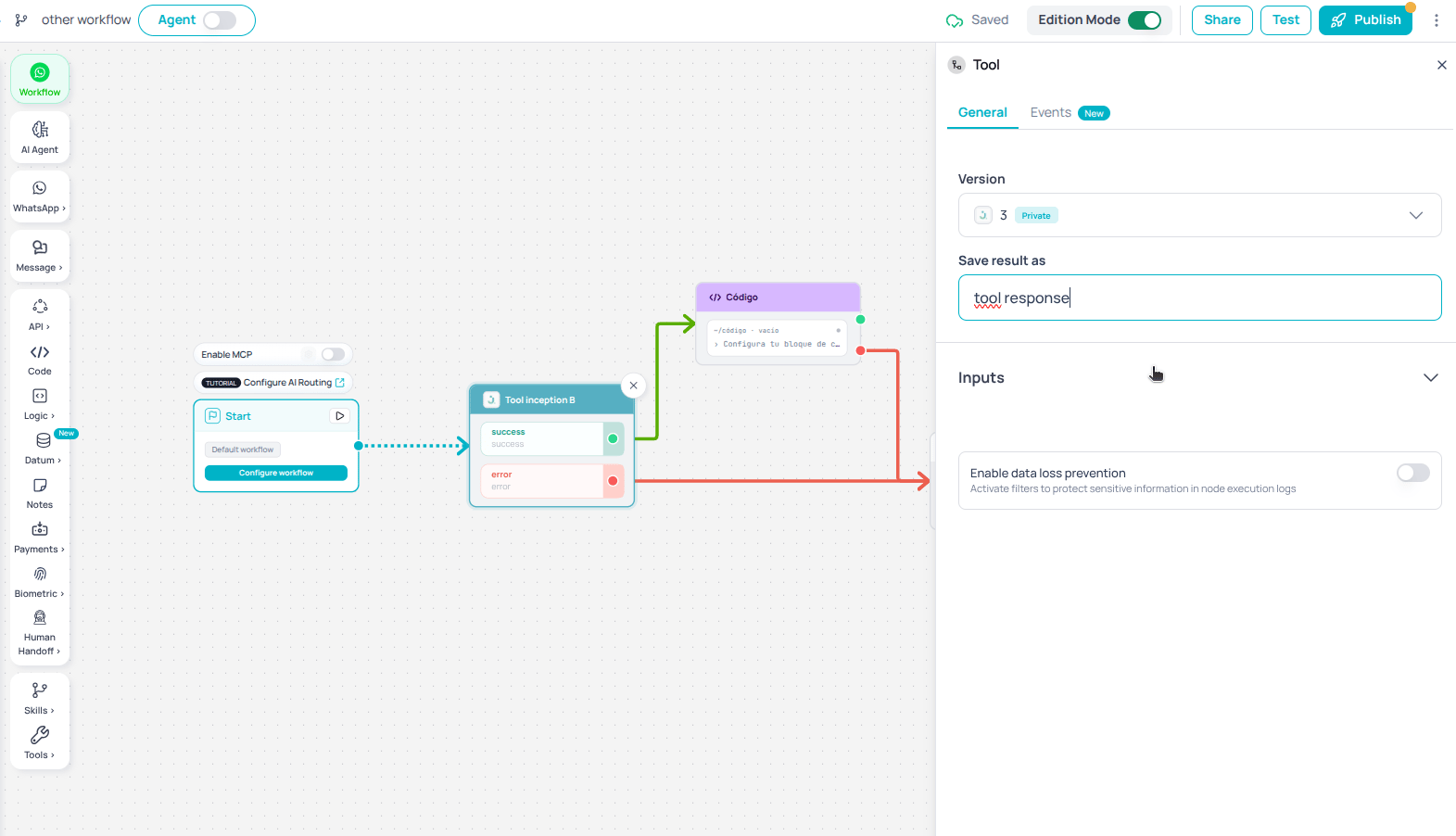
Picker on the canvas
Anti-recursion safeguards
To prevent infinite loops:- No self-reference: the current one is hidden from the picker, and save blocks any attempt to reference it.
- Nesting limit: runtime enforces a maximum depth (default 5 levels). Exceeding it fails the execution in a controlled way.
- Cycle detection: when you publish, an analyzer detects cycles between them.
Traceability and debugging
Every child execution gets anexecutionId that is always recorded on the parent, including timeout, error, or success outcomes.
From the Tester, on the node use Debug Tool to inspect the child’s internal execution (nodes, inputs, outputs, and errors) without opening a separate canvas.
Timeout
Dispatching the child Tool has a 30-second timeout. Because execution is asynchronous, that limit covers only the dispatch — the moment the platform creates the child execution — not how long the child takes to finish: a child that runs for several minutes does not exhaust this timeout. If dispatch fails on timeout, the parent Tool takes the error path and its final state includes the child’sexecutionId and status: TIMEOUT, so you can debug it the same way as a normal error.
Input types
When mapping inputs to a child, the builder persists the type with the value. The engine coerces by declared type:
This avoids silent bugs when the child Tool expects a numeric ID or an object.
Best practices
- Prefer generic, reusable Tools as composition building blocks.
- Document each child Tool’s inputs and outputs so parent mapping stays clear.
- Test composition in the Tester and use Debug Tool at each nested level.
- Keep depth low; if you need many levels, consider flattening the design.