
Introduction
The custom channel lets your application (web, mobile, or backend) run flows published in Brain Studio via webhook and REST API, without relying on WhatsApp or Meta. Jelou receives interactions from your app, processes the flow asynchronously, and delivers bot replies to the URL you configure.Prerequisites
Before enabling the channel, make sure you have:- An active Jelou account and access to the Channels section
- A public endpoint in your infrastructure to receive agent replies
Enable the channel
1
Open the Channels section
Sign in to Jelou, go to Channels, and select the custom option.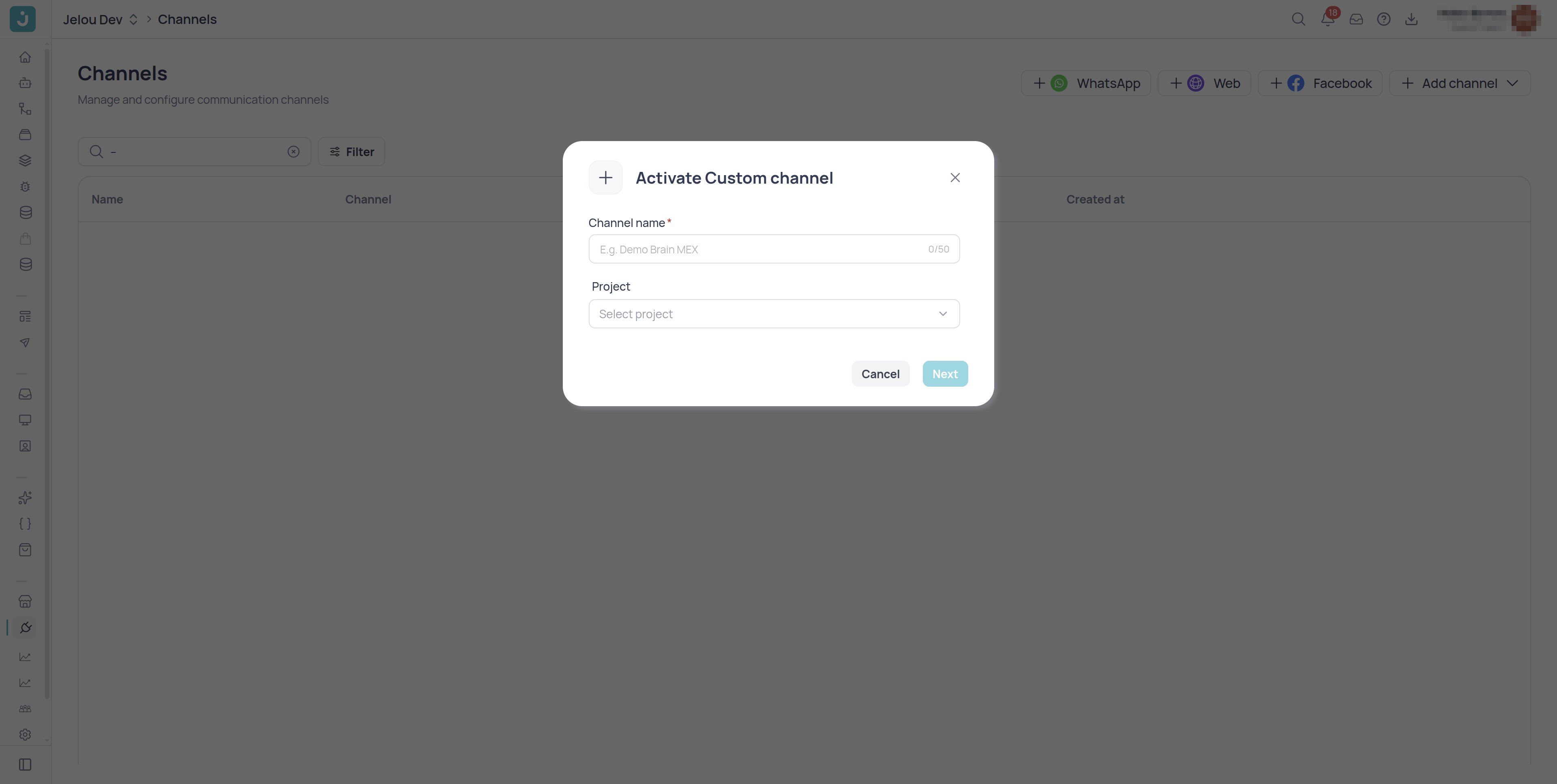
Channel selector with the custom option
2
Name the channel
Give the channel a descriptive name, for example
Mobile app - Production. The name must be between 4 and 50 characters.3
Complete the configuration modal
In the modal, provide: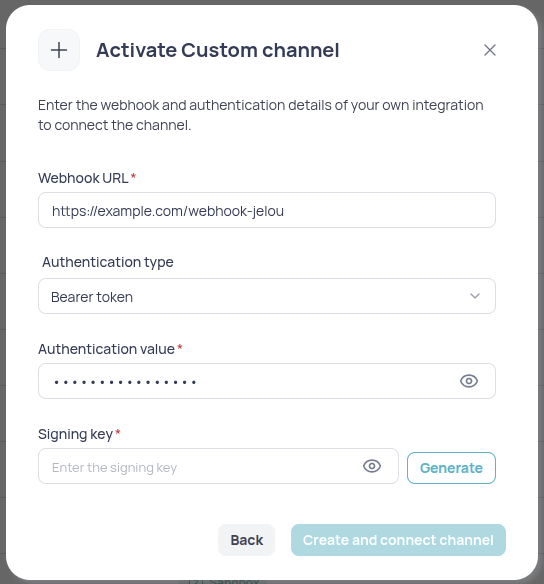
- The webhook URL where Jelou will deliver agent replies (required).
- An optional authentication type (
api_key,bearer, orbasic) and its value, if your endpoint requires it. - The signing key (HMAC), required. Use it to sign your requests to Jelou’s API and verify the replies that arrive in your system.
custom channel configuration modal
Secrets are encrypted at rest and are not shown in plain text after saving. If you lose a value, generate a new one and update the configuration.
4
Save and connect
Save the configuration and make sure the channel is connected to the corresponding project.
5
Build the logic in Brain Studio
Open the project in Brain Studio, select the custom channel in the workflows list, and start building with Jelou.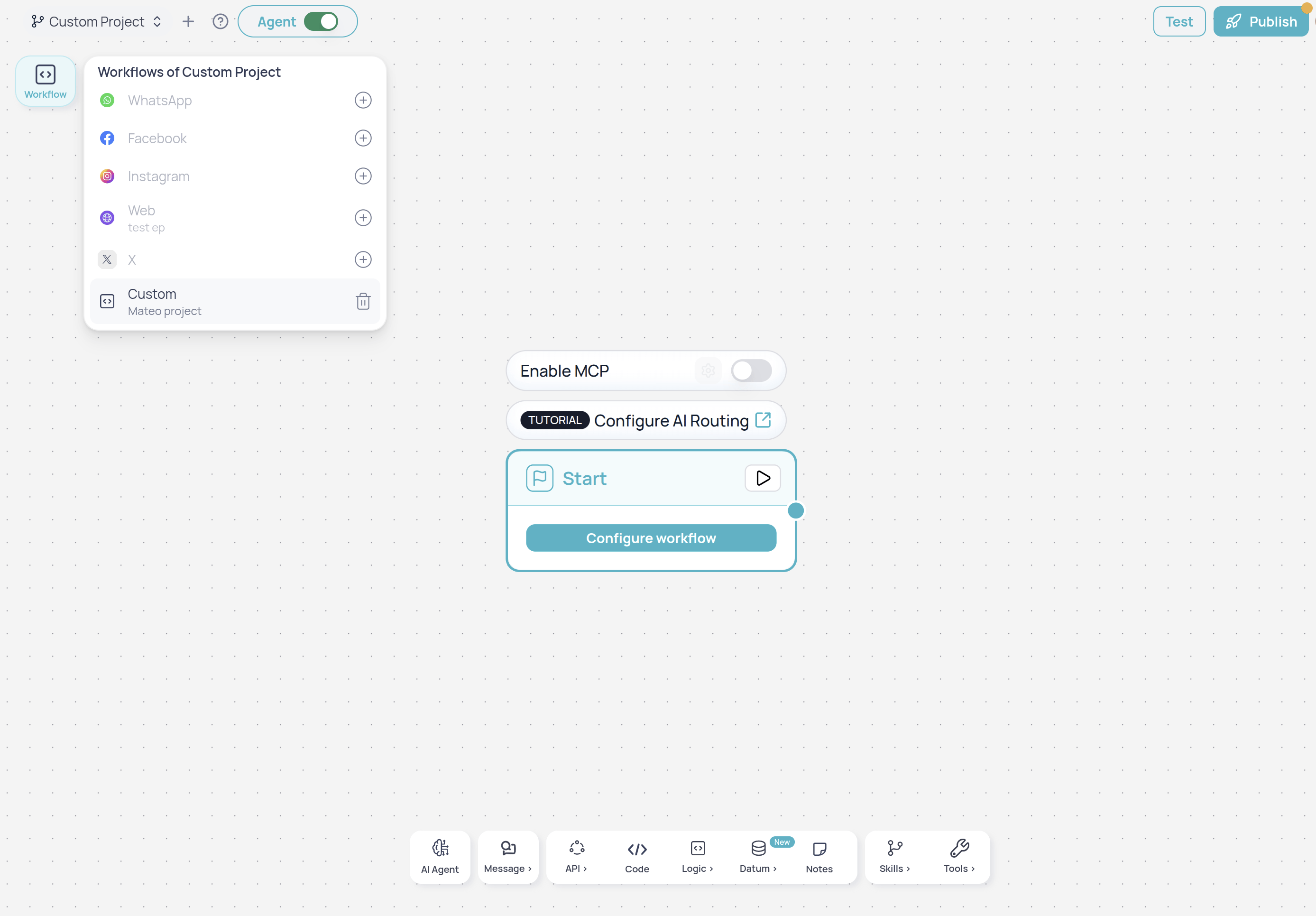
Brain Studio canvas with the custom channel selected
Reply delivery
When the agent replies, JelouPOSTs to your webhook. Delivery has a 20-second budget covering up to 3 attempts, retried on 5xx, 429, connection refused and reset sockets. Timeouts and DNS failures are not retried. Every attempt carries the same messageId, so your endpoint must deduplicate by it and respond idempotently. See Delivery and retries.
Channel limitations
In the builder, some nodes and tools are not available on the custom channel because they depend on WhatsApp or other integrations.Unavailable nodes and blocks
- HSM template
- WhatsApp Flows
- CTA URL
- Sticker
- Carousel
- Numbered list
- Webview
- Payments
- Connect (advisor)
- Biometrics
- Human handoff (HubSpot, Genesys, or others)
Unavailable AI Agent tools
- Call to action (
send_call_to_action) - Transfer to agent (
transfer_to_agent) - Jelou Shop
Next step for developers
To send interactions, verify HMAC signatures, and check session status, see the API reference:Custom channel API
Introduction, endpoints, response formats, and HMAC signature.