
The campaign list
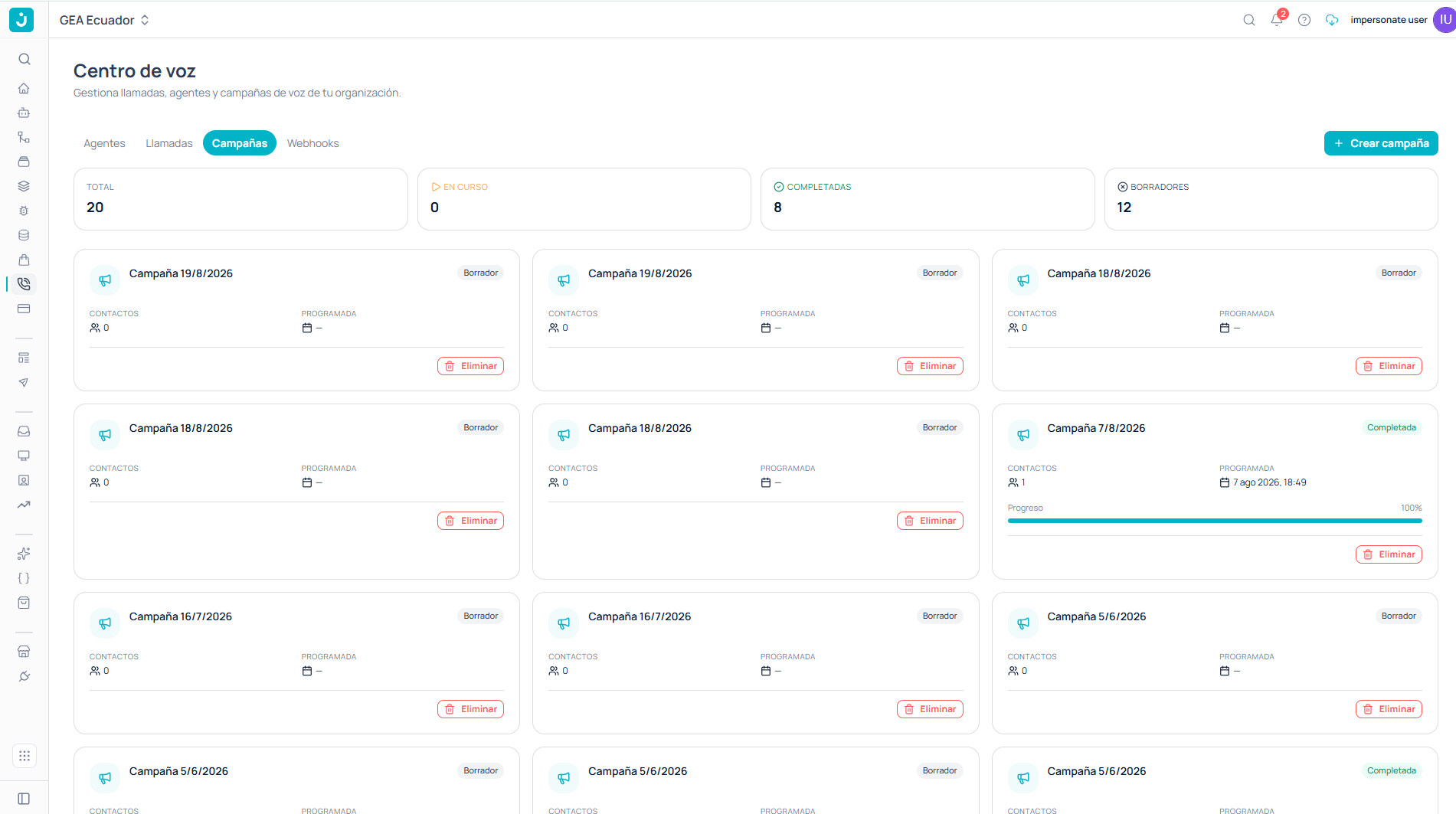
Campaigns tab with the counters and campaign cards
A campaign’s states
The drafts counter reveals the most important thing to understand: creating a campaign does not start it dialing.Draft
Created but inactive. It dials nothing. You can review and fix it without pressure.
In progress
Dialing. From here real calls go out and credits are consumed.
Completed
It finished working through its contacts.
The campaign editor
Opening a campaign takes you into its editor. Everything is configured on a single screen, and the Launch campaign button at the top right is what sets it dialing.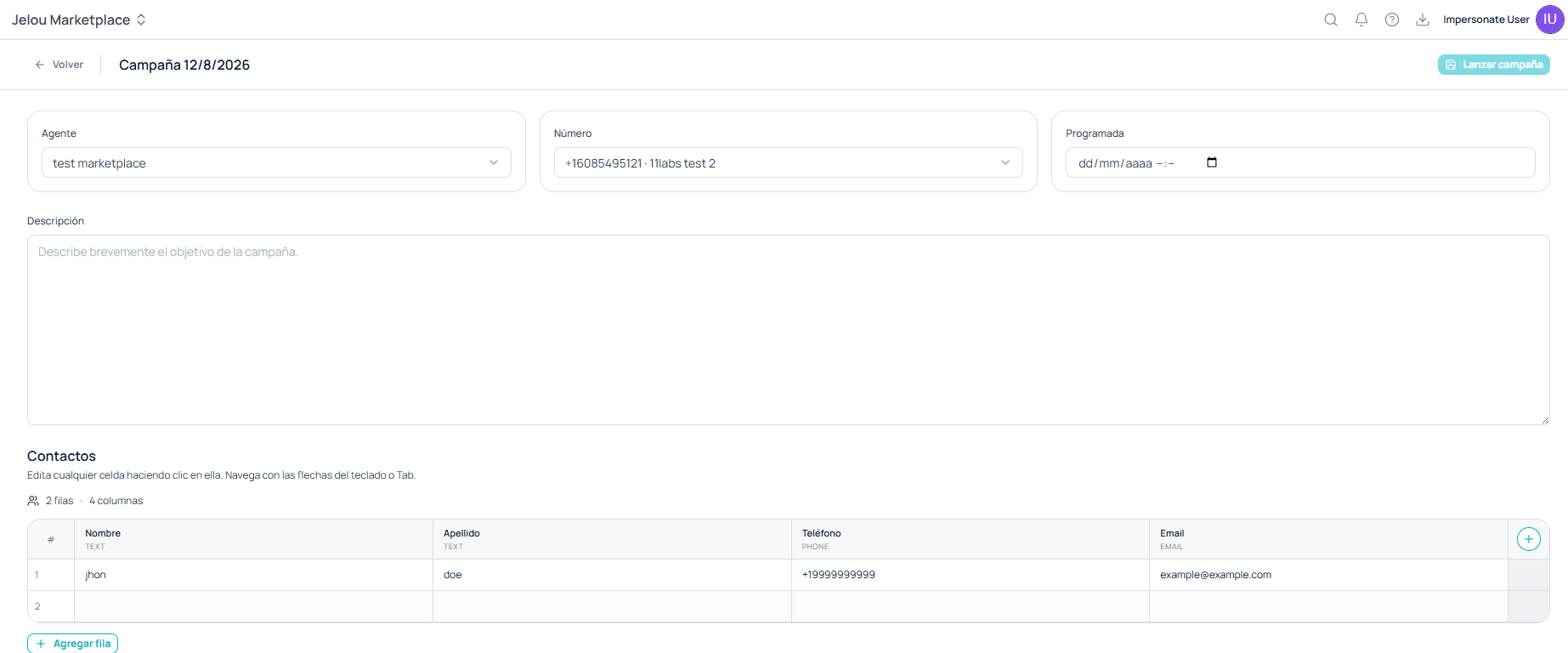
Campaign editor with its three selectors, the description, and the contact table
The three selectors
The Number dropdown lists the numbers from your ElevenLabs channels. If it’s empty, you haven’t provisioned one yet: see Numbers and the ElevenLabs channel.
Description
A free-text field to briefly describe the campaign’s goal. It doesn’t affect the agent’s behavior — it’s so your team knows what the campaign is about when they see it in the list.Contacts
Contacts are edited directly in the campaign, in a table that behaves like a spreadsheet: you click any cell to edit it and navigate with the arrow keys or Tab. The header shows how many rows and columns the table has. Columns carry an associated type, visible under their name:
+ Add row appends contacts at the end, and the + button at the far right of the header adds new columns.
Launching the campaign
Once the agent, the number, the date, and the contacts are set, Launch campaign puts it to work.Control during execution
The campaigns screen lets you create, edit, launch, and track them. For fine-grained control while they dial — pausing, resuming, cancelling, reviewing the detail of the calls a campaign placed, or testing against a single contact before launching — the CLI covers the full cycle.jelou voice schedules
Create, activate, watch dialing progress, list the calls placed, pause, resume, and cancel a campaign from the terminal.
The CLI also works with reusable contact lists (
jelou voice contacts lists), which can be built from a CSV or XLSX file and targeted from several campaigns. It’s the alternative to the editor’s table when you handle large or repeated bases.