The knowledge base is the set of documents or URLs the agent can consult to answer. It lets the agent resolve frequently asked questions with reliable information, without depending on a call to your APIs or on everything being written into the prompt. It’s in the Knowledge base tab of the agent editor.
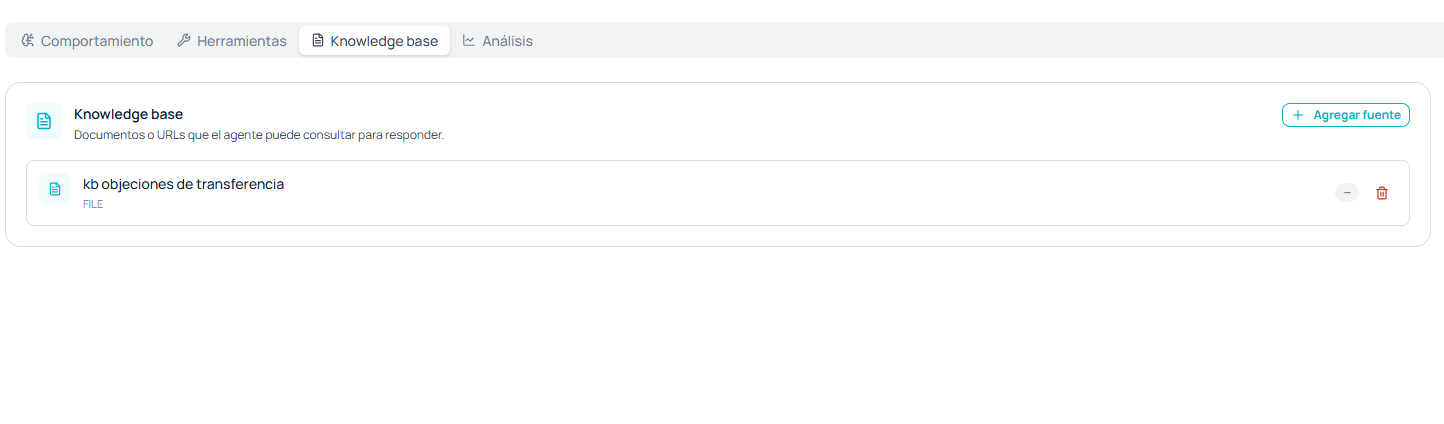
Knowledge base section with the Add source button and a FILE-type source listed with its delete action

Knowledge base tab with one source loaded

Adding a source

With + Add source you bring in knowledge two ways:
  • A file, for example a product manual, a rate sheet, or a document covering common objections.
  • A URL, for example your public FAQ page.
Each source appears in the list with its name and a badge showing its type, and can be deleted from there.

What belongs here and what doesn’t

The knowledge base and the system prompt solve different problems, and confusing them is the most common mistake.
If you find yourself pasting price tables or long listings into the system prompt, that content belongs in the knowledge base. The prompt defines behavior; the knowledge base, content.
The better curated this base is, the less the agent depends on HTTP tools to resolve simple intents, and a knowledge base lookup adds no network latency to the call.

Considerations for voice

A document written to be read doesn’t always work the same when the answer will be heard. Two things help: Avoid complex tables and footnotes. The agent will have to verbalize them, and the result is usually a long answer that’s hard to follow. A short paragraph per concept is much easier to listen to. Write figures the way they’re said. If the document says “USD 4,500.00”, it helps to also have “four thousand five hundred dollars” so the agent doesn’t improvise the reading.
The knowledge base doesn’t replace validation. For data that changes, such as a balance, an order status, or seat availability, use an HTTP tool against your systems. A document goes stale without anyone noticing.