
What does the summary include?
The summary is organized into four sections:- Contact reason: why the customer reached out.
- Previous actions: what has already happened in the conversation, such as interactions with the bot, transfers, and agents who handled the case.
- Case status: where the conversation currently stands.
- Relevant client information: specific details the customer mentioned, such as order or ID numbers. If there are none, it says so.
Enable the summary
The feature is disabled by default and is enabled for the whole company.1
Open Advanced settings
Go to Settings > Advanced settings in the side menu.
2
Check the option
Check the AI Conversation Summary option.
3
Save your changes
Click Save.
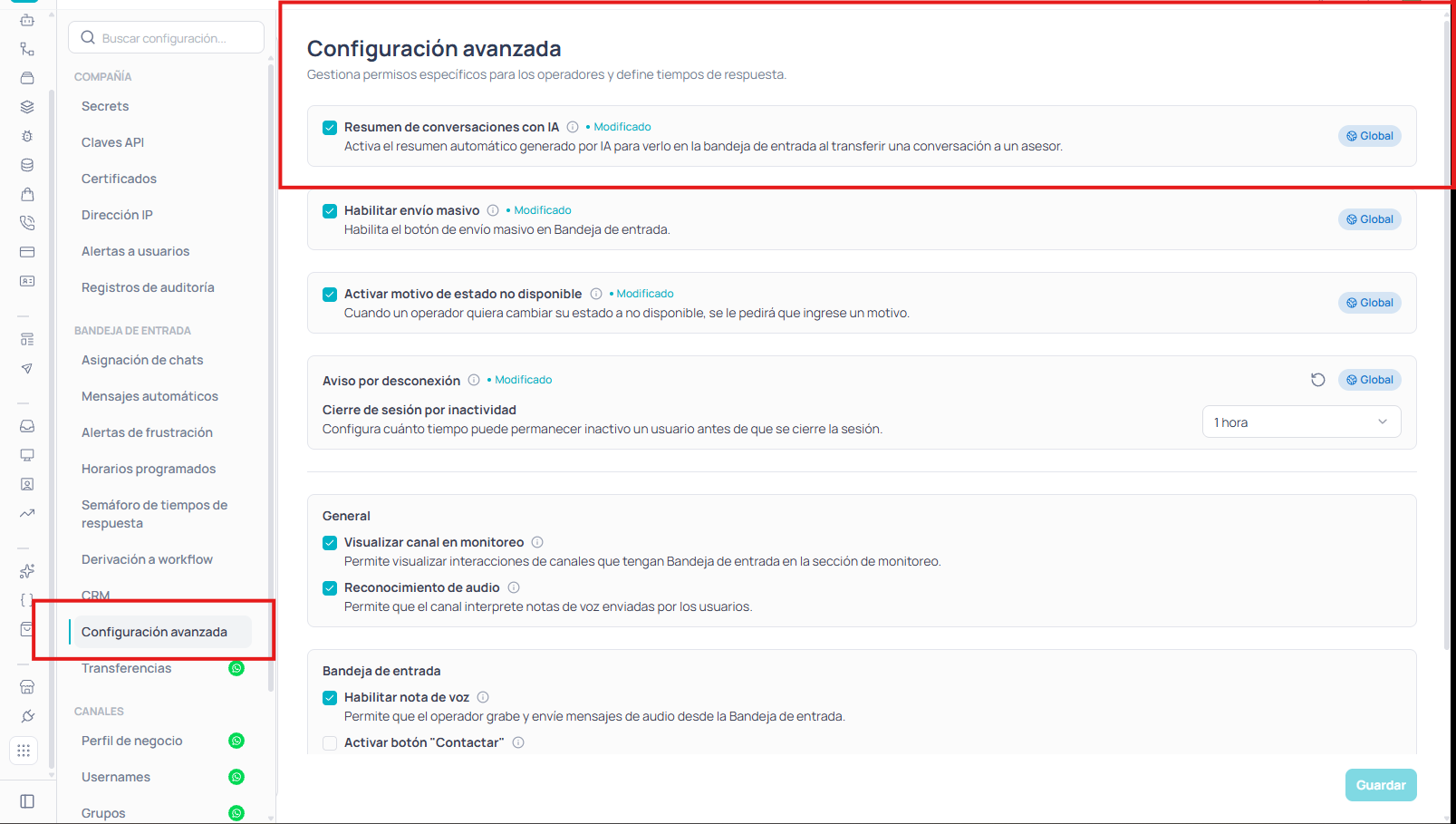
You can also turn it on or off from the settings of the Transfer to agent node in the flow builder. Both options change the same company-wide setting.
Generate a summary
1
Open the conversation
In the Inbox, open the conversation.
2
Go to the CRM tab
In the right panel, go to the CRM tab.
3
Generate the summary
On the Customer Summary card, click Generate.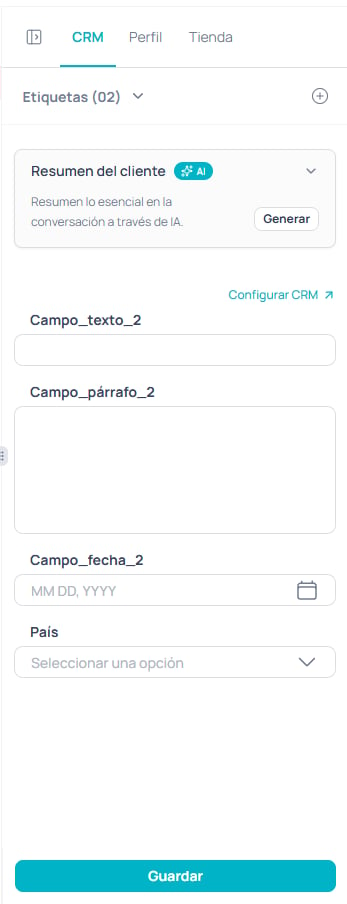
Regenerate or clear the summary
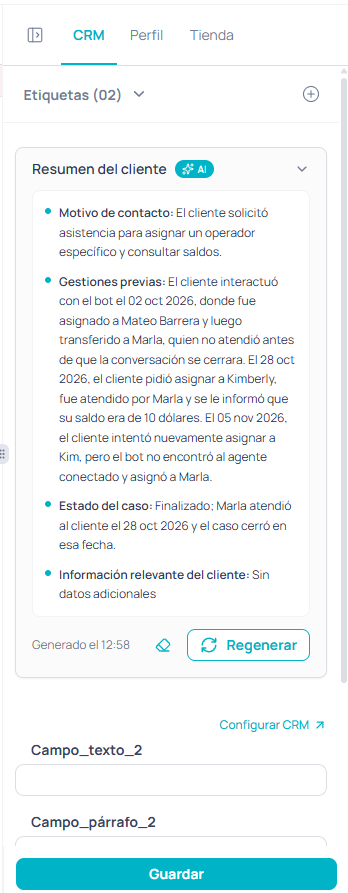
- Regenerate: creates a new summary from the most recent messages. Use it if the conversation has moved on since the previous summary.
- Clear (eraser icon): removes the summary from the card.
Considerations
- The summary analyzes the last 50 messages in the conversation, including system events such as assignments and transfers.
- The summary is only generated when the agent requests it; it isn’t created automatically.
- The summary isn’t saved: if you switch tabs or reload the page, you’ll need to generate it again.
- Each generated or regenerated summary consumes AI credits. If the account has no credits available, the card shows the notice “No credits to generate summaries”. You can see the consumption in the usage section as “Conversation summary”.
- Audio, video, stickers, and contacts aren’t taken into account. Images are only considered if they have a caption.
- Agents’ internal notes aren’t part of the summary.
- The feature isn’t available for archived conversations.
- Available on Enterprise and Self-Service plans.