
Creating a collection
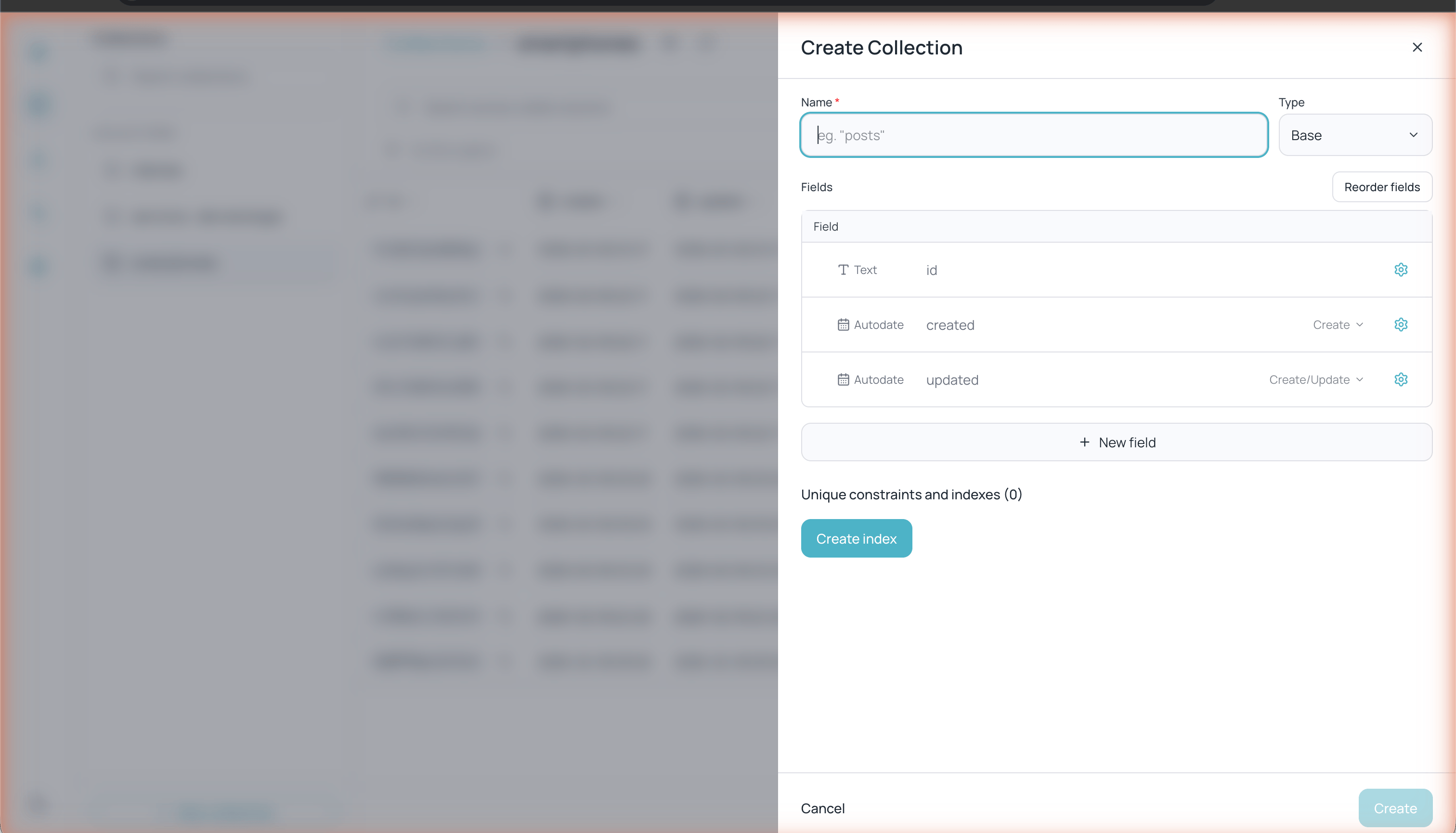
Form for creating a new collection with default fields
1
Click + New collection
In the left sidebar, click the + New collection button located at the bottom of the collections panel.
2
Configure the basic details
Fill in the following fields:
- Name — Collection name (required, e.g. “customers”, “products”)
- Type — Collection type: Base (default) or View (read-only).
3
Add fields
Every new collection includes three automatic fields:
- id — Unique record identifier (auto-generated)
- created — Record creation date (Autodate)
- updated — Date of last update (Autodate)
4
Create the collection
Click Create to confirm.
Field types
Each field has a type that determines what data it can store and what validations apply:Configuring fields
Click the gear icon (⚙) on any field to view its configuration options. Options vary depending on the field type. For Text type fields:- Min length / Max length — Minimum and maximum text length (5,000 characters maximum by default)
- Validation pattern — Regular expression to validate the format (e.g.
^[a-z0-9]+$) - Nonempty — Marks the field as required
- Hidden — Hides the field in the user interface.
- Presentable — Marks the field as the representative field of the record
Options by field type
Each field type offers its own configuration options:Number
Number
Integers only (rejects decimals) and minimum/maximum values.
Select
Select
List of allowed options (at least one). You can enable multiple selection, which requires a minimum of 2 options.
File
File
Maximum size per file, single or multiple file, and allowed types via presets (Images, Audio, Video, Archives, Documents).
Relation
Relation
Related collection and single or multiple selection. You can also define what happens when a related record is deleted.
Password
Password
Configure the maximum length and security options to protect stored values.
Email / URL
Email / URL
Allowed or excluded domains to validate the value.
Date / Autodate
Date / Autodate
Date: minimum and maximum date. Autodate: define when it’s assigned automatically — on Create, on Update, or both.
Editor
Editor
Maximum content size.
Reordering fields
Click Reorder fields inside the collection settings to change the order in which fields appear in the table and in forms.Indexes and unique constraints
At the bottom of the collection settings you will find the Unique constraints and indexes section. Indexes improve query performance on fields that are frequently filtered or searched. Click Create index to add a new index to your collection.Collection settings
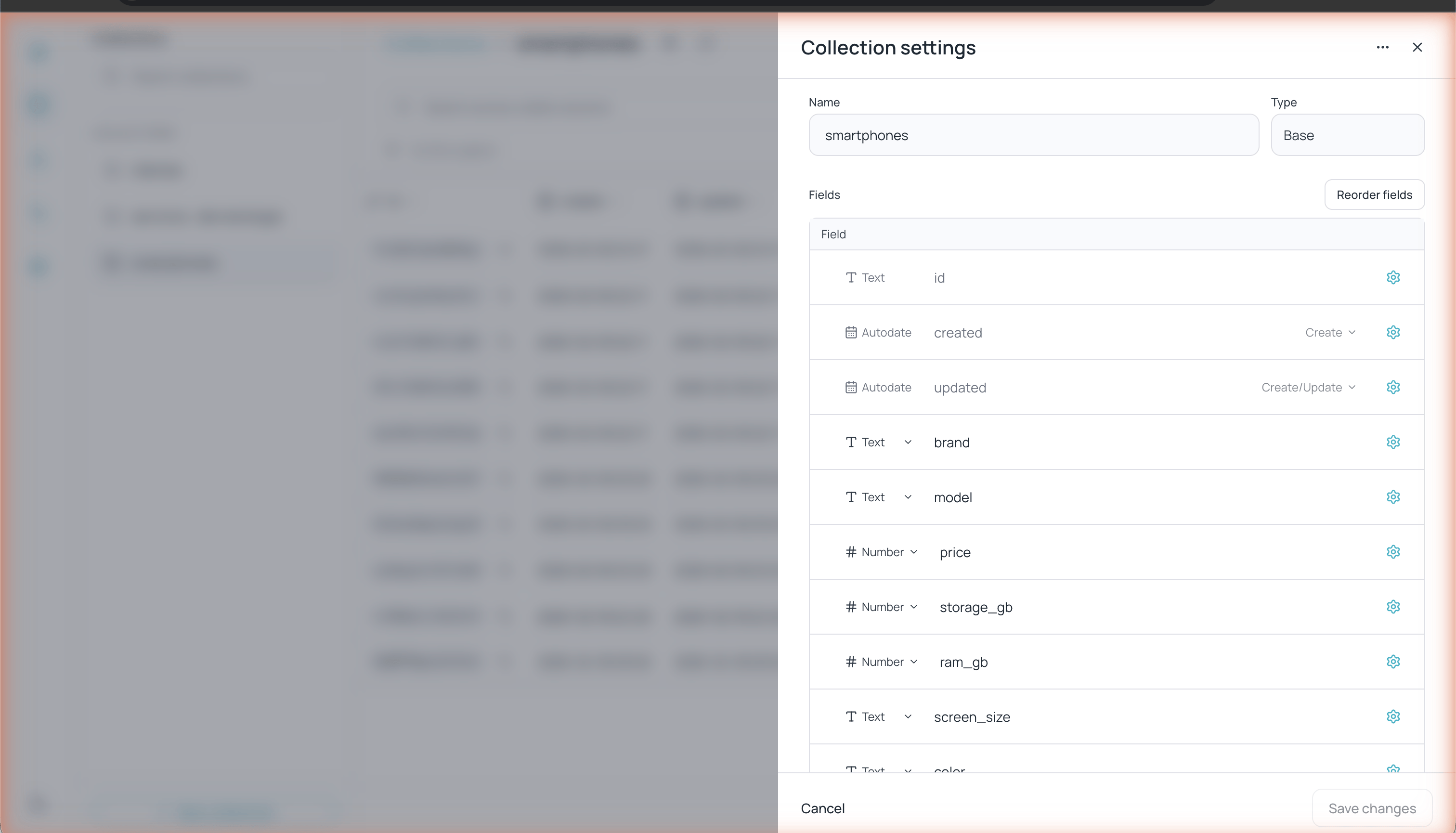
Collection settings panel with field list and types
- Rename the collection
- Add, edit, or delete fields
- Reorder fields
- Create indexes
- Duplicate — Creates a copy of the collection.
- Empty — Deletes all records while keeping the collection structure. Not available on views.
- Delete — Deletes the collection entirely.