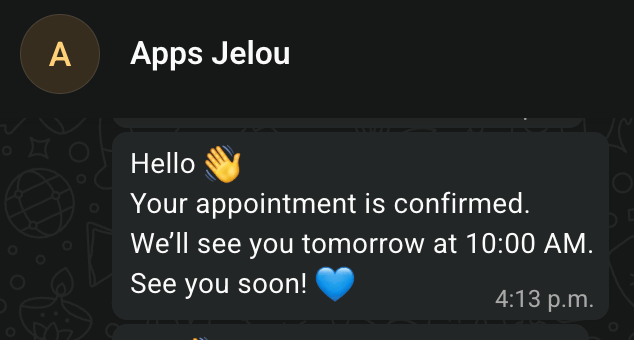
The feature is configured at the company level. Companies that do not turn it on keep the current behavior, with no changes.
When to use this feature
Grouping helps when your agents tend to send several consecutive messages within the same conversation. Turning it on lets you:- Reduce the notifications the customer receives.
- Lower the billable messages per conversation.
- Keep the conversation cleaner and easier to read.
- Hold together several messages that are part of the same reply.
How it works
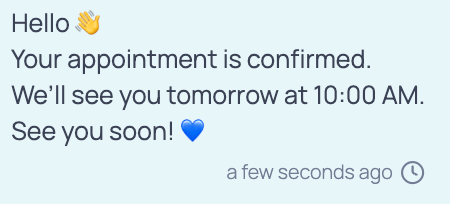
When an agent sends their first message, the system opens a time window. Every text message they send inside that window is collected and, once the window closes, goes out to the customer as a single message with line breaks. For example, the agent sends three messages in a row:Message 1
Message 2
Message 3
What the customer receives
Configuration
Open Inbox or Monitoring and, in the shortcuts on the right-hand side of the screen, go to Message grouping.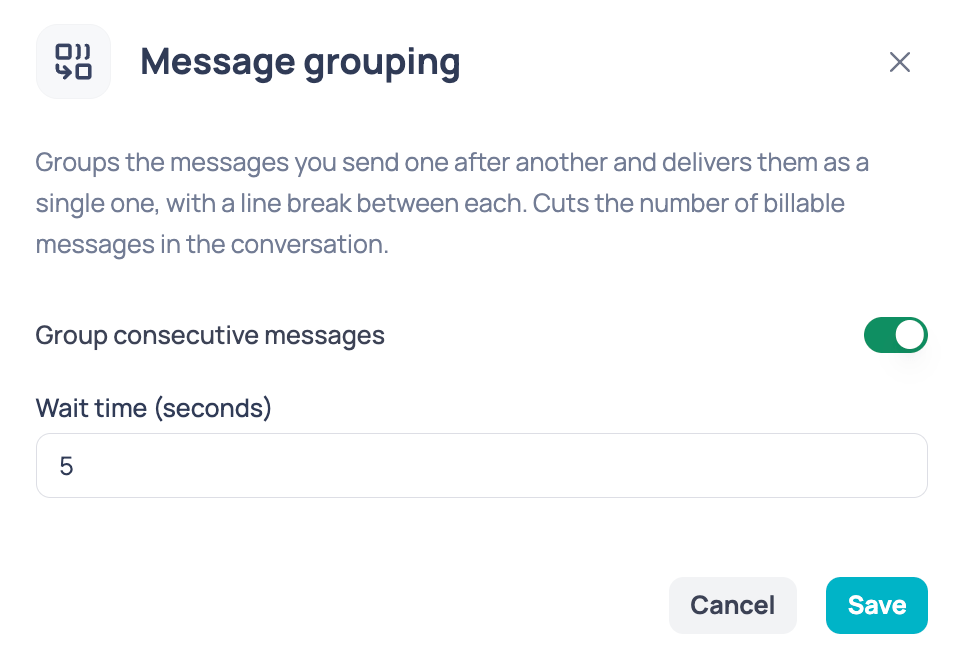
1
Turn on Group consecutive messages
Switch Group consecutive messages on. From then on, your agents’ back-to-back messages are grouped according to the configured time.
2
Set the wait time
In Wait time (seconds) you set how long the system waits before sending the block to the customer, and therefore how long the window that collects messages lasts.It accepts values between 1 and 20 seconds.
3
Save your changes
Click Save. The setting applies to the whole company.
Which messages are grouped
The agent’s consecutive text messages become part of the same block as long as they fall inside the configured window. Other message types do not wait for the window to end:
The system preserves the corresponding order of the messages sent.
What the agent sees
What the customer sees