
- A flow in Brain Studio ready (for example, an AI Agent handling a sale).
- A Mercado Pago account with test and production credentials.
- Implementation in test mode (Development)
- Testing on WhatsApp
- Go to production
1. Implementation in test mode (Development)
Video 1: Installation and configuration in Brain Studio
Video 1 – Mercado Pago installation + node setup in test mode
Install the integration and add the node
Get test credentials
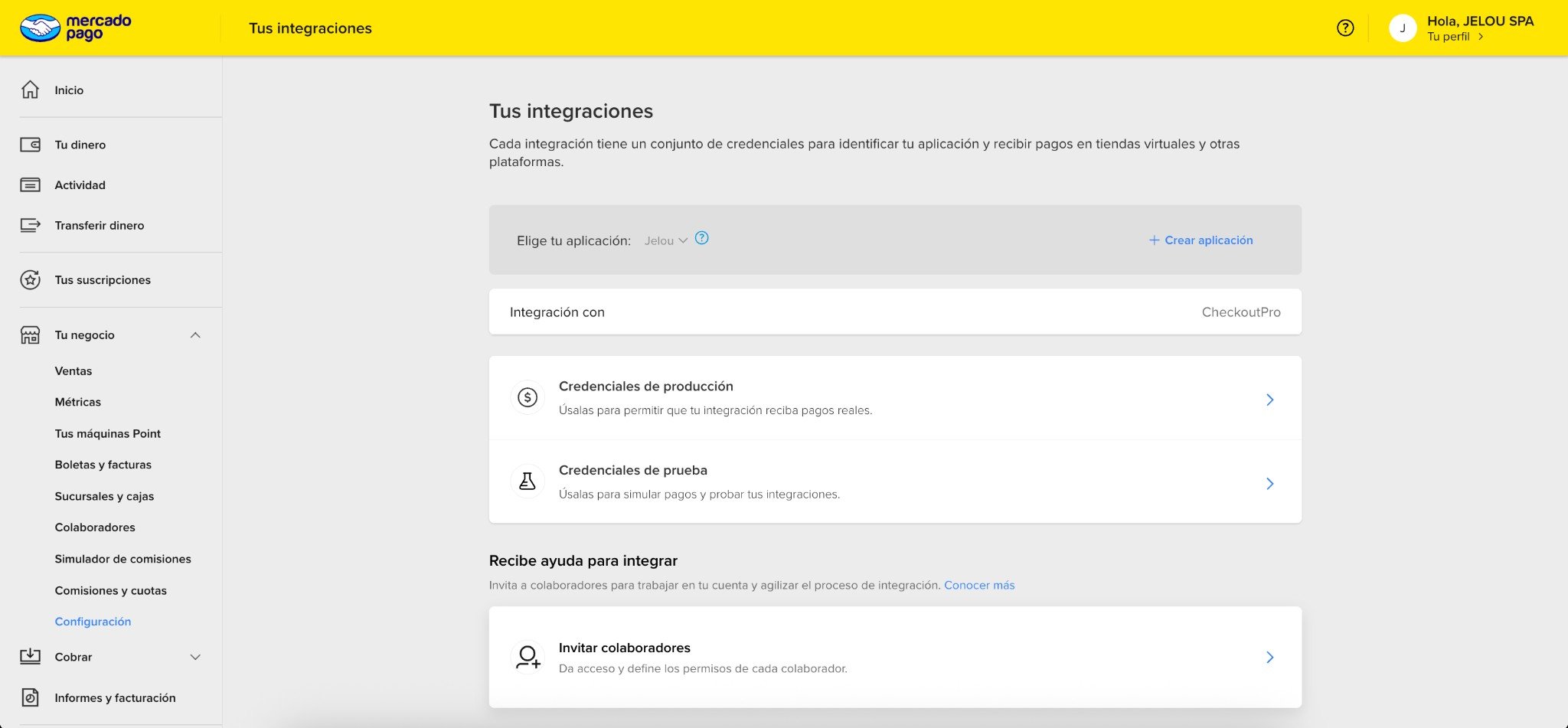
Your integrations in Mercado Pago
Connect Mercado Pago in Brain Studio
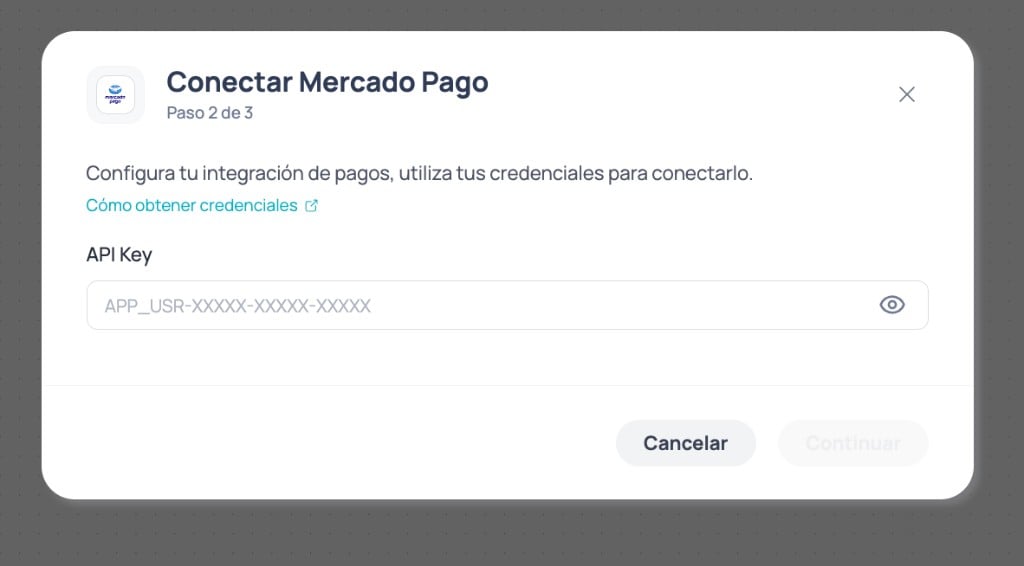
Modal step 2: enter your Mercado Pago API Key
Add the node to your flow
Configure the node (tours example)
Complete the minimum for the tours case. Full field reference in Usage and configuration.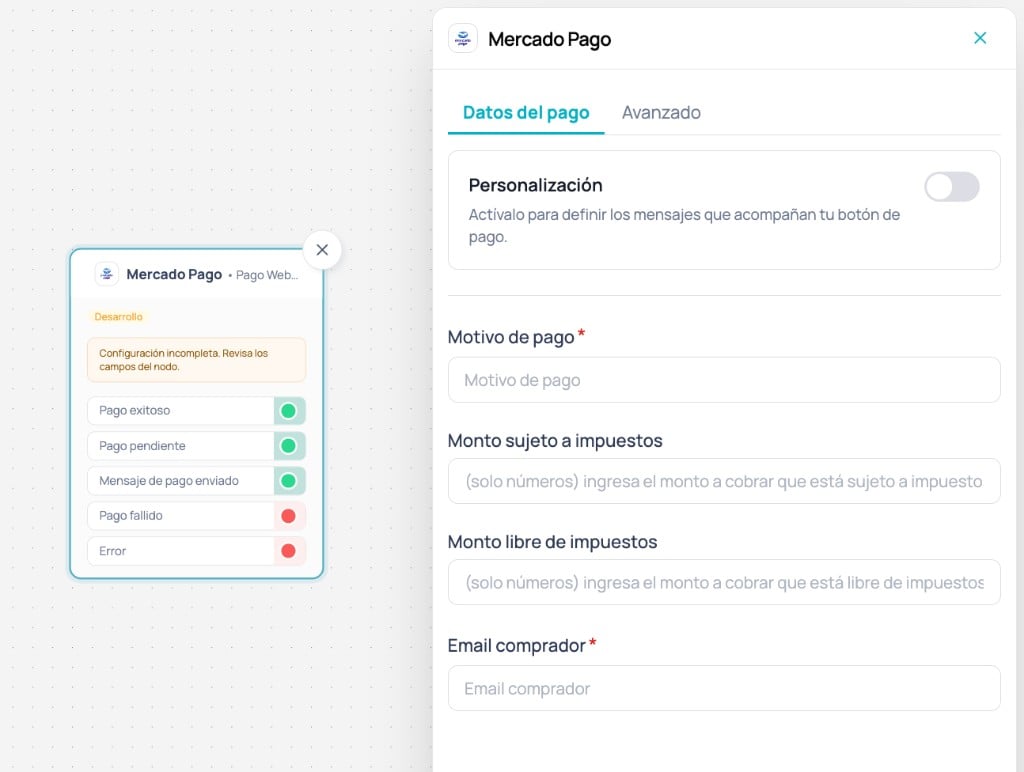
Mercado Pago node with Payment data tab and outputs on Canvas
Test emails by country (test mode)
In Development, Mercado Pago only processes payments if Buyer email belongs to a test user from the same country as your credentials.🇨🇱 Chile
🇨🇱 Chile
🇵🇪 Peru
🇵🇪 Peru
🇨🇴 Colombia
🇨🇴 Colombia
🇲🇽 Mexico
🇲🇽 Mexico
🇧🇷 Brazil
🇧🇷 Brazil
🇦🇷 Argentina
🇦🇷 Argentina
🇺🇾 Uruguay
🇺🇾 Uruguay
Connect the node outputs
The node exposes five outputs. Connect them based on the result you want to handle.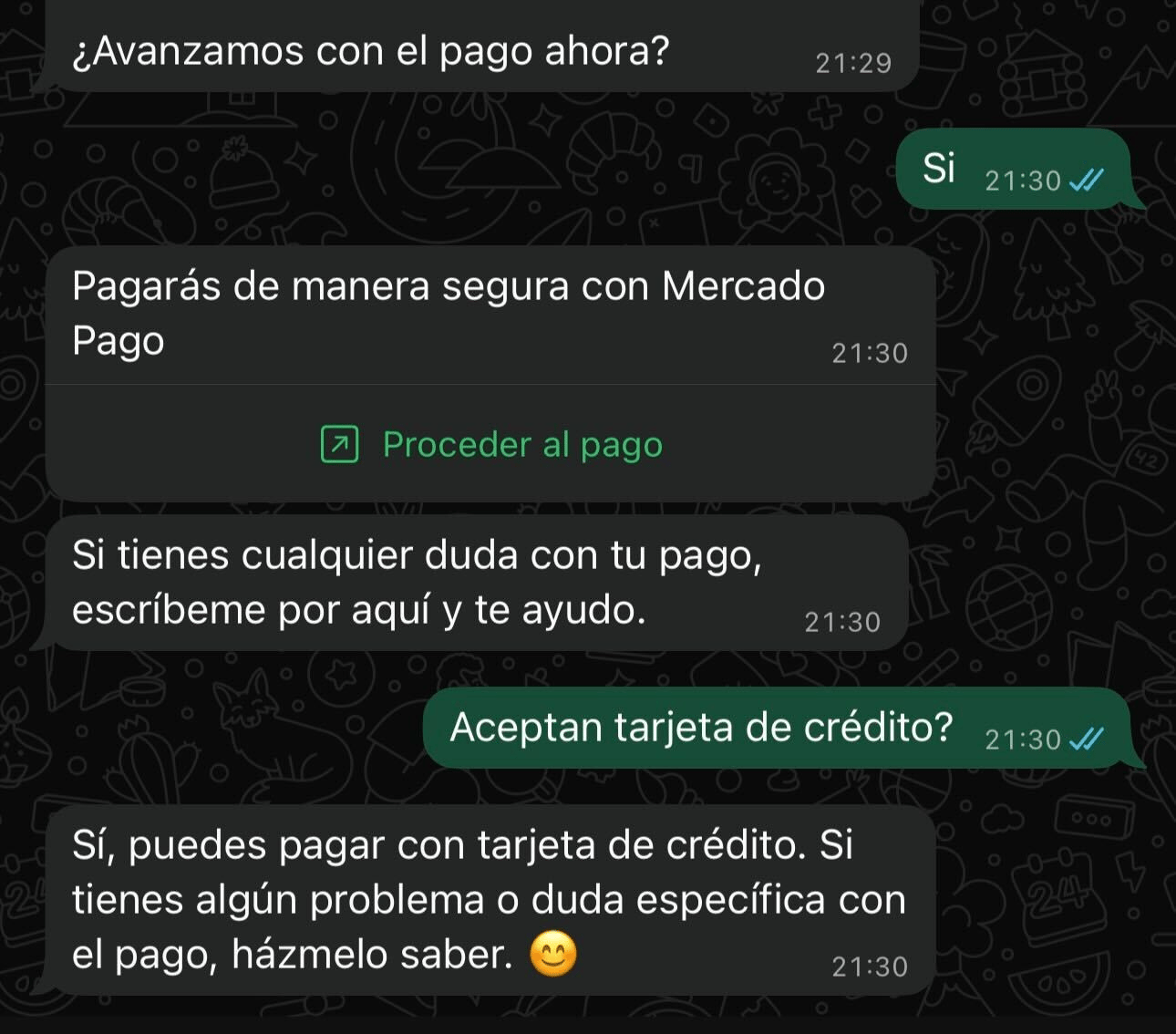
Post-send payment button support example on WhatsApp
Example: normalize Successful payment
If you used Save response =checkout_response, map the minimum to Context:
Normalization code (Successful payment)
Normalization code (Successful payment)
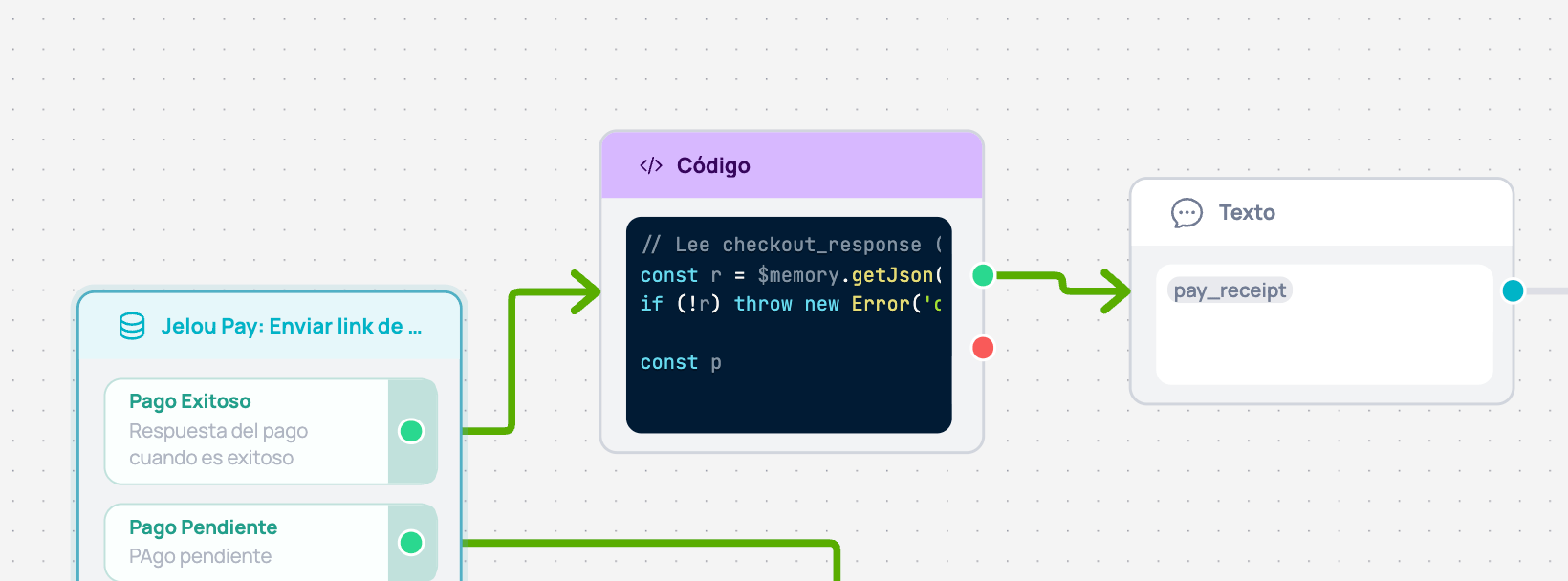
Successful payment → Code → Text flow
2. Testing on WhatsApp
Validate the end-to-end flow from WhatsApp; checkout opens in an embedded WebView.Video 2: Testing from WhatsApp
Video 2 – Mobile test with test cards
Open Test in Canvas
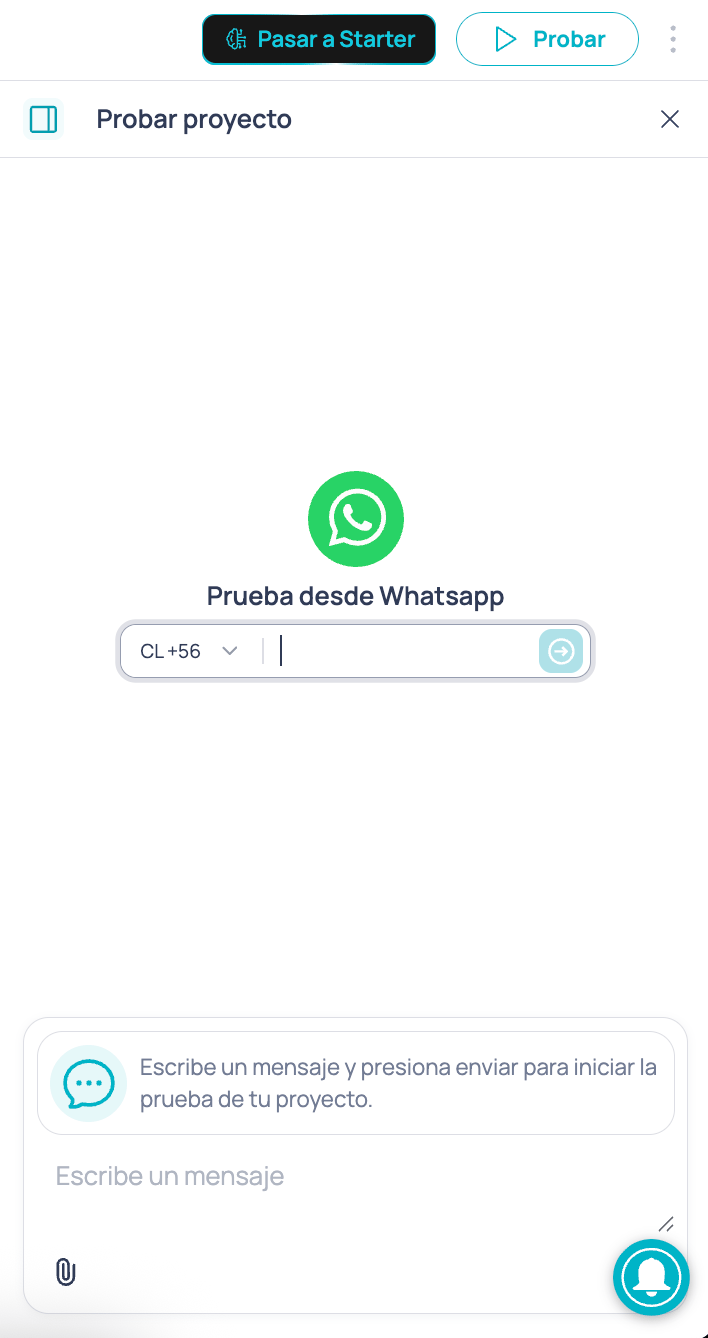
Test project panel
Start a test conversation
Complete payment in the WebView
Test cards by country
Mercado Pago publishes test cards by country to simulate approval or rejection:🇨🇱 Chile
🇨🇱 Chile
🇵🇪 Peru
🇵🇪 Peru
🇨🇴 Colombia
🇨🇴 Colombia
🇲🇽 Mexico
🇲🇽 Mexico
🇧🇷 Brazil
🇧🇷 Brazil
🇦🇷 Argentina
🇦🇷 Argentina
🇺🇾 Uruguay
🇺🇾 Uruguay
3. Go to production
Going to production means production credentials and the buyer’s real data. The WhatsApp experience stays the same.Video 3: Production setup + real payment
Video 3 – Go to production and real payment
Get production Access Token
Go to production
Use real data in the node
Run a low-amount real payment test