
What node alerts are
There are two groups of alerts, one for each node type:Model lifecycle notices also appear in the Notification Center bell, under the Infrastructure filter, whether or not you configured recipients. Email is an additional channel.
How to configure them
1
Open Node alerts
Go to Settings > Node alerts.
2
Choose the node type
In the Node type sub-menu select the API / SOAP or AI Agent tab. Each tab has its own list of recipients.
3
Add recipients
In the Recipients card, type an email address and click + Add. To remove one, click the ✕ next to it.
4
Choose alert types (AI Agent only)
In the Alert types card check Model lifecycle, Security, or both.
5
Save your changes
Click Save. To undo what you changed, click Discard.
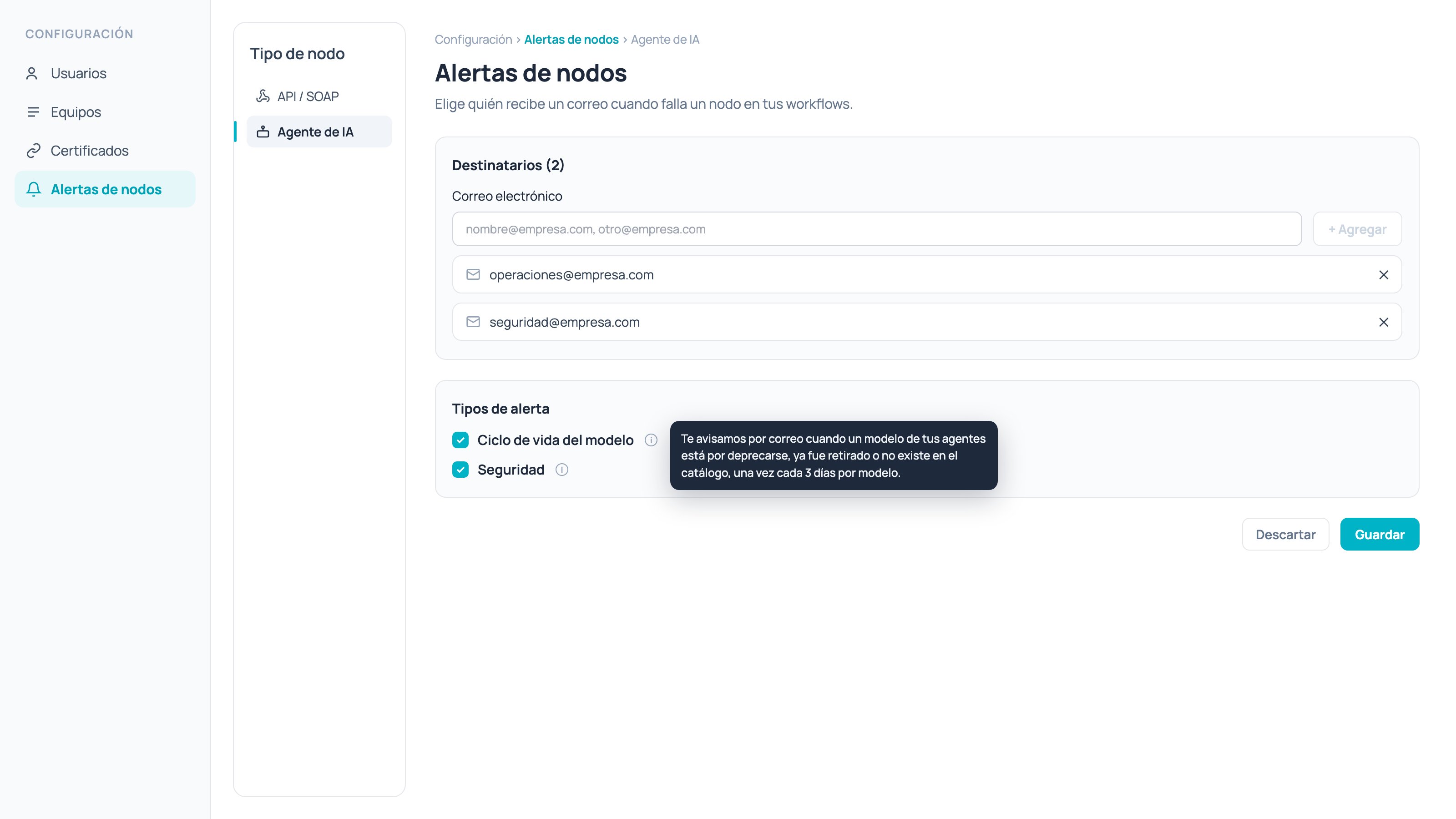
Settings > Node alerts > AI Agent (the screen is shown in Spanish)
API / SOAP alerts
An email is sent when an API or SOAP node fails 100 times in 5 minutes against the same endpoint. After that alert, we wait 8 hours before alerting again for that same endpoint. The email includes:- Company, service URL, affected users, event count and monitoring interval.
- The failing request and the error message.
- Model type and name, execution ID, alert ID and node ID.
AI Agent alerts
The AI Agent tab has an Alert types card with two options. If no specific selection is made, all types are sent.Model lifecycle
You get an email when a model used by an AI Agent or AI Task node is about to be deprecated, has been retired, or no longer exists in the catalog. At most one email is sent every 3 days per model. The email includes the model, its status, the retirement date and where it is used (skill and node ID).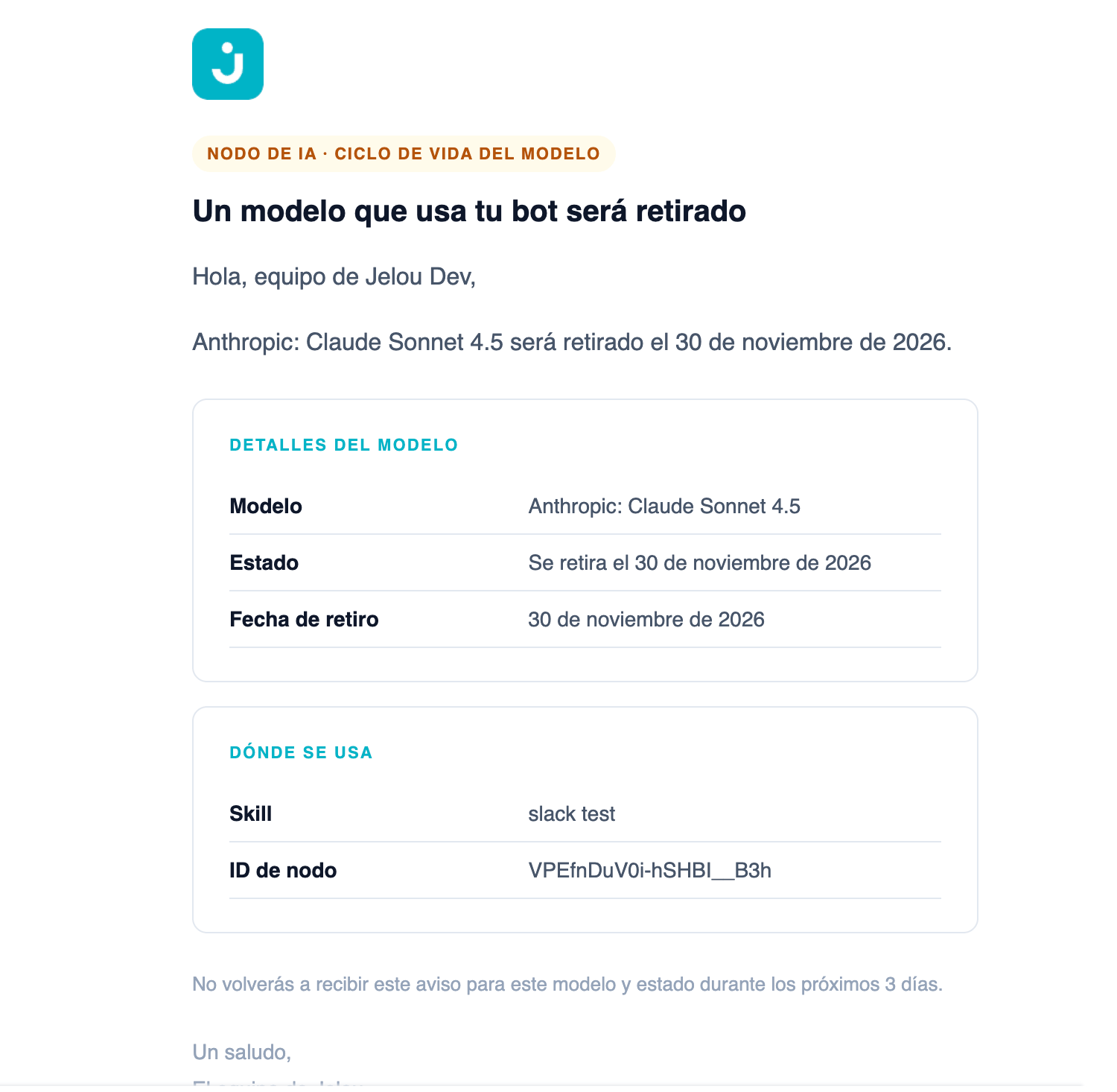
Model lifecycle email (shown in Spanish)
Security
You get an email when a security threat is detected or blocked in an AI agent, for example prompt injection, jailbreak or system prompt leak. The email includes the result (blocked or detected), the phase, the threat types, the level, the confidence, the detection methods and where it happened.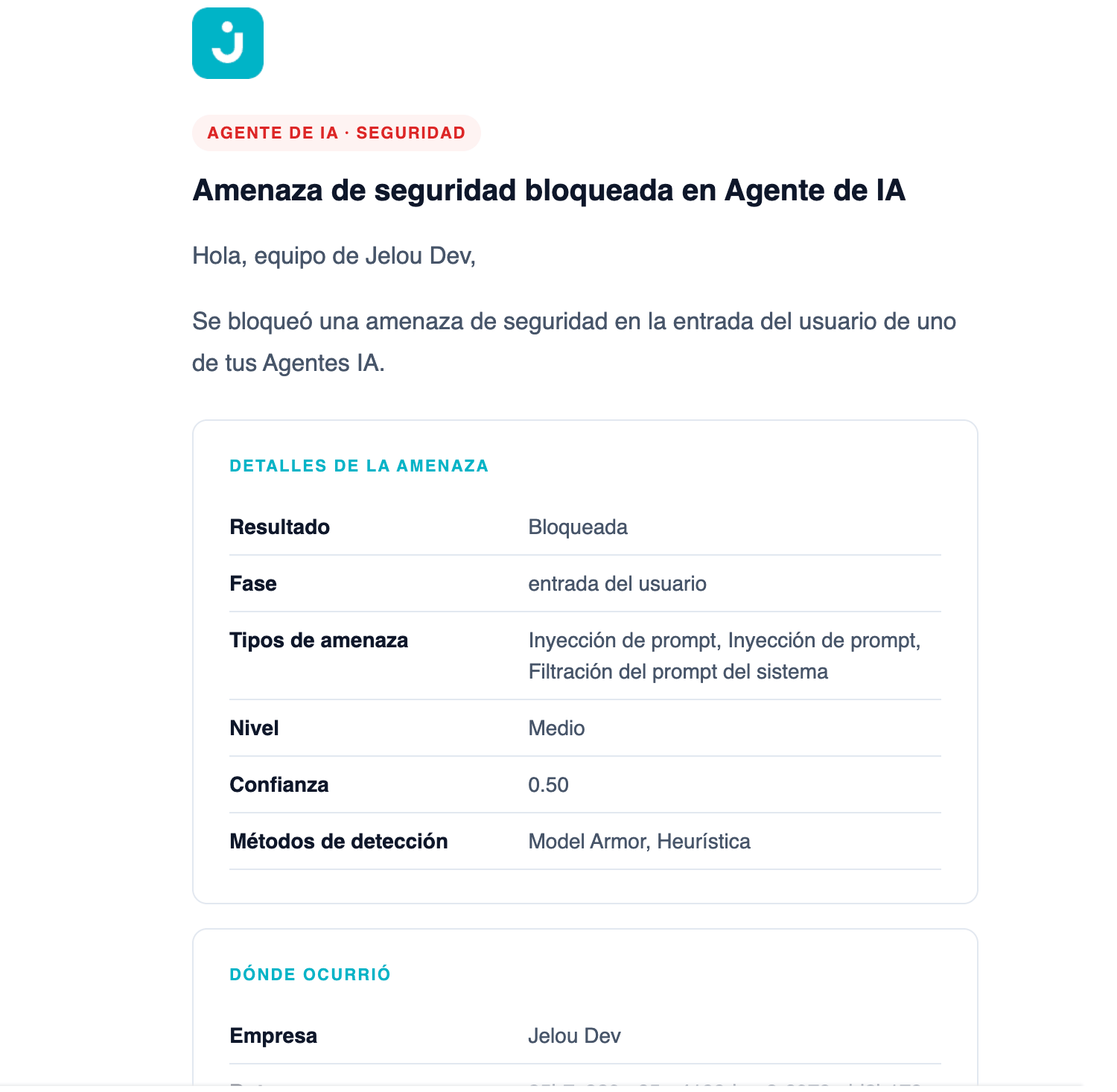
Security threat email (shown in Spanish)
Anti-spam limits
Email language
Emails use the new Jelou design, with a colored badge by alert type: amber for model lifecycle and red for security. They are available in Spanish, English and Portuguese.FAQ
Why am I not receiving emails?
Why am I not receiving emails?
Check these two causes:
- There are no recipients: the node type tab has no emails added. Add them and click Save.
- The alert type is unchecked: in the AI Agent tab, confirm that Model lifecycle or Security is checked.
Does each tab have its own recipients?
Does each tab have its own recipients?
Yes. API / SOAP and AI Agent are configured separately.
If I don't configure emails, will I still see model notices?
If I don't configure emails, will I still see model notices?
Yes, model lifecycle notices still appear in the bell, under the Infrastructure filter.
Related nodes
API node
Connect your flow to external services.
AI Agent node
Configure your AI agent.