
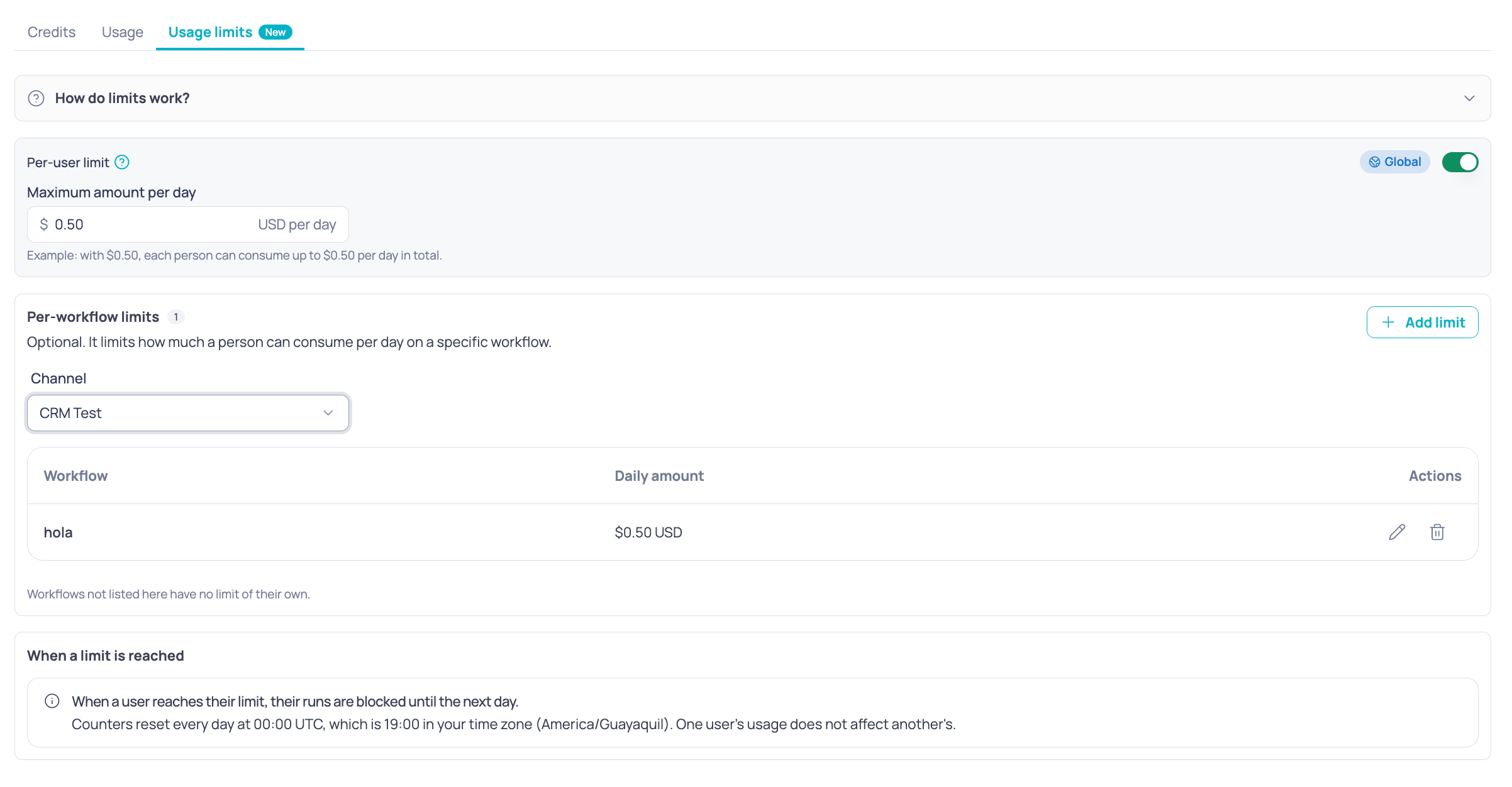
Billing > Usage limits
Limit types
- Both are expressed in USD per day and evaluated per person: one user’s consumption does not affect another’s.
- Both limits work together. With $0.50 per user and $0.25 on the “Balance inquiry” workflow, a person can use that workflow up to $0.25 and all other workflows until reaching $0.50 in total.
- There is at most one per-user limit, which applies to the whole organization, and one per workflow.
A per-workflow limit higher than the per-user limit is valid, but in practice the person will be blocked once they reach the per-user limit.
Daily reset
Caps reset every day at 00:00 UTC. The screen shows that time converted to your time zone for reference; the actual reset always happens in UTC.Set the per-user limit
1
Turn on the switch
In the Per-user limit card, turn on the switch. With the switch off there is no limit.
2
Enter the amount
Type the Maximum amount per day in USD. It accepts up to 2 decimals and must be greater than 0.
Set per-workflow limits
1
Choose the channel
Workflows belong to a channel with a Brain project. Select the channel first; only channels with Brain are listed.
2
Add a limit
Click add, choose the workflow and type the daily amount. Workflows that already have a limit appear disabled with the Already has a limit label.
3
Review the table
The table shows each workflow with its Daily amount. From the last column you can Edit or Delete the limit.
- When editing a limit you cannot change the workflow, only the amount.
- When you delete a limit, the workflow has no cap of its own. The per-user limit still applies if it is on.
- The table shows only the limits for workflows in the selected channel.