This guide explains what you can customize in the WebView biometric experience, how to use the [Webview] Biometric UI Configuration tool, what outputs to expect when you test, and how to fill in each input parameter.

What you can customize

You can align the experience with your brand and business rules using:
  • Colors and mode (light or dark, with paired variables per theme).
  • Language for UI copy, and whether the user may switch language.
  • Legal validation (link to terms and conditions).
  • Security validation (facematch threshold and document ghost check).
Face and document capture widgets are not customizable; see Non-editable elements below.

Configure in Brain

Set appearance and UI rules with the [Webview] Biometric UI Configuration tool.
1

Create a dedicated workflow

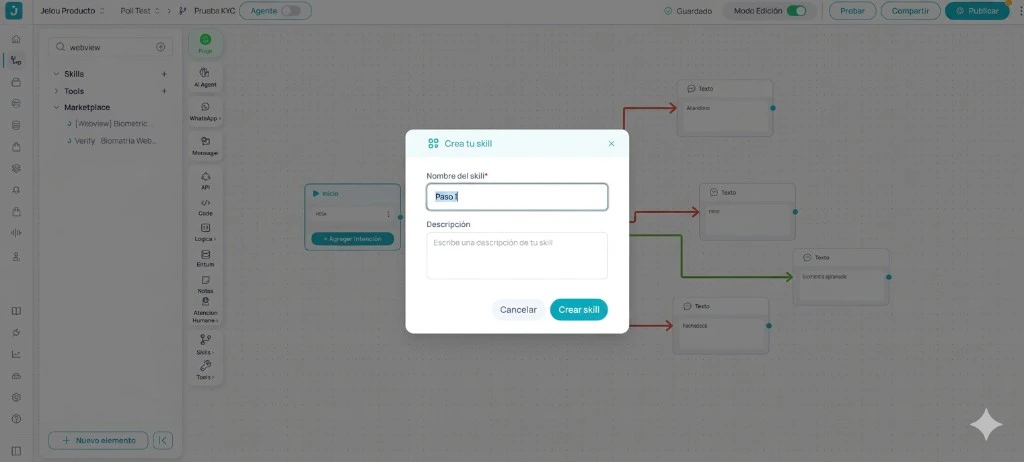
Create a new workflow in Brain for this tool. WebView UI personalization changes should only be applied once; you can keep this workflow as the single place where you run the configuration update.
Create skill modal in Jelou Producto to name the dedicated workflow
2

Find the tool

In the sidebar, search by tool name. If it is not connected yet, open the Tools icon in the sidebar and locate [Webview] Biometric UI Configuration in the catalog.
Marketplace with [Webview] Biometric UI Configuration selected and connected to the Start node
3

Connect, drag, and configure

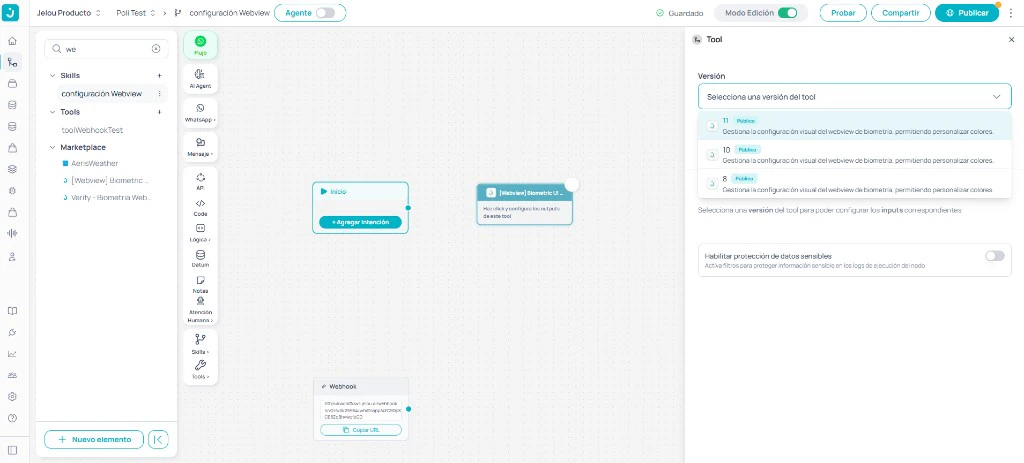
Connect the tool, drag it onto the workflow canvas, and complete the fields in the right-hand sidebar when the node is selected. Review the Inputs tab under Configuration below.
Node side panel with tool version selector and prompt to configure inputs
4

Wire messages for the Outputs

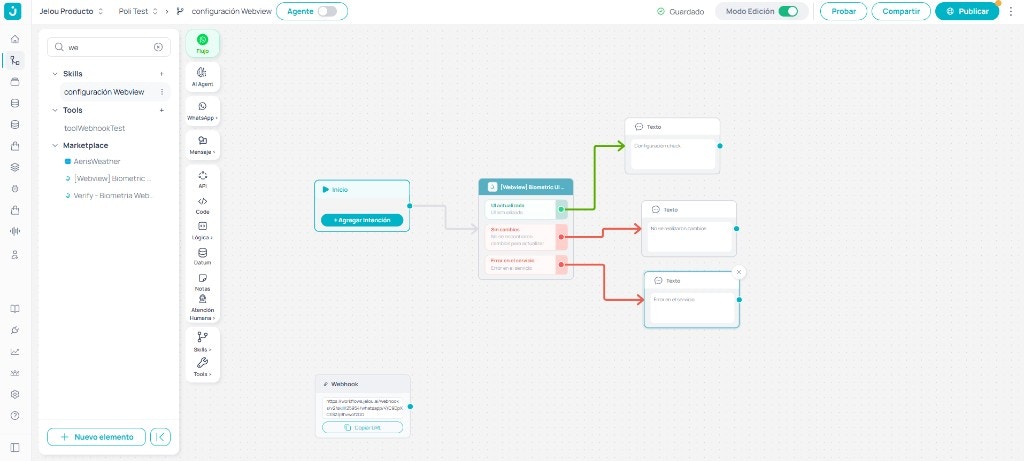
On the node’s Outputs tab, connect each tool branch to the rest of the workflow and set the message (or next action) that should run in each case. The tool exposes three output variables:
  • success — maps to UI updated: the configuration was applied successfully to the WebView UI.
  • noData — maps to No changes found to update (for example, same values as already live or validation blocking save).
  • error — maps to Service error (the operation failed while contacting the service that persists configuration).
Canvas with UI updated, no changes, and service error branches connected to Text nodes
5

Test the workflow

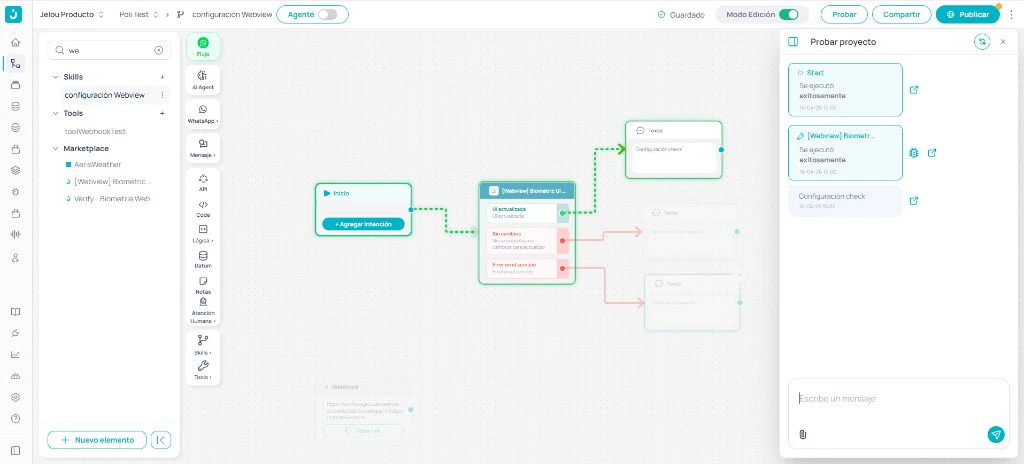
Use Test on the workflow. It should return success (UI updated, variable success) when changes were applied correctly to the WebView experience.
Test project panel showing a successful run and the Text node message on the UI updated branch

Configuration

UI colors
enum
Variable name: UI colorsVariable: colorsDescription: Enables the custom palette (true / false). When true, you must set Modo and the HEX colors for the selected theme. With the palette on, validate contrast and readability between background, text, and buttons (especially if the device theme can change).Available values: true, false
Modo
enum
Variable name: ModoVariable: ModoDescription: Base theme Claro (light) or Oscuro (dark); determines which color set applies.Available values: Claro, OscuroRequired when: colors = trueIn light mode, use primaryColor, secondaryColor, tertiaryColor, backgroundColor, and fontColor.In dark mode, use primaryDarkColor, secondaryDarkColor, tertiaryDarkColor, backgroundDarkColor, and fontDarkColor (same five visual roles, dark variant).
Primary color (light mode)
string
Variable name: Primary color (light mode)Variable: primaryColorDescription: HEX color (for example #ffffff). Drives progress and active states (completed and current steps, terms checkbox border and state, document validation spinner).Required when: Modo = Claro
Primary color (dark mode)
string
Variable name: Primary color (dark mode)Variable: primaryDarkColorDescription: HEX color (for example #ffffff). Same visual role as primaryColor in dark theme.Required when: Modo = Oscuro
Secondary color (light mode)
string
Variable name: Secondary color (light mode)Variable: secondaryColorDescription: HEX color (for example #ffffff). Primary actions: main buttons (Continue, Retry, etc.), loading spinners, success, terms links, pending progress steps.Required when: Modo = Claro
Secondary color (dark mode)
string
Variable name: Secondary color (dark mode)Variable: secondaryDarkColorDescription: HEX color (for example #ffffff). Same role as secondaryColor in dark theme.Required when: Modo = Oscuro
Tertiary color (light mode)
string
Variable name: Tertiary color (light mode)Variable: tertiaryColorDescription: HEX color (for example #ffffff). In-progress states: spinners during validations and step indicators while running.Required when: Modo = Claro
Tertiary color (dark mode)
string
Variable: tertiaryDarkColor. HEX: (example: #ffffff). Same role as tertiaryColor in dark theme.Required when: Modo = Oscuro
Screen background (light mode)
string
Variable name: Screen background (light mode)Variable: backgroundColorDescription: HEX color (for example #ffffff). Overall background for flow screens.Required when: Modo = Claro
Screen background (dark mode)
string
Variable name: Screen background (dark mode)Variable: backgroundDarkColorDescription: HEX color (for example #ffffff). Background in dark theme.Required when: Modo = Oscuro
Font color (light mode)
string
Variable name: Font color (light mode)Variable: fontColorDescription: HEX color (for example #ffffff). Text: titles, instructions, messages, and states.Required when: Modo = Claro
Font color (dark mode)
string
Variable name: Font color (dark mode)Variable: fontDarkColorDescription: HEX color (for example #ffffff). Text in dark theme.Required when: Modo = Oscuro
Facematch: approval threshold
enum
Variable name: Facematch: approval thresholdVariable: facematchThresholdDescription: Strictness of face comparison (match percentage).Available values: 65, 70, 75, 80, 85, 90
Document: validate ghost image
enum
Variable name: Document: validate ghost imageVariable: validateGhostPortraitDescription: Checks consistency between the main document photo and the thumbnail (ghost).Available values: true, false
Use false if users often send low-quality photos; with true, rejection rates may increase.
Edit language
enum
Variable name: Edit languageVariable: editLanguageDescription: Enables the language block (defaultLanguage, canChangeLanguage).Available values: true, false
Default language
enum
Variable name: Default languageVariable: defaultLanguageDescription: Initial language for WebView copy.Available values: es, enRequired when: editLanguage = true
Allow user to change language
enum
Variable name: Allow user to change languageVariable: canChangeLanguageDescription: When true, the user may change the interface language at any time during the flow.Available values: true, falseRequired when: editLanguage = true

Biometric WebView scope

The biometric WebView includes 12 screens that guide the user through photo-based WebView verification: liveness, document (front and back), and a final outcome. The exact names and order of screens may vary with the product version and agent settings (for example, intro video or language).

Non-editable elements

To keep verification quality, these are not customizable:
  • Face capture widgets.
  • Document capture widgets.

Pre-publish review

Recommended checklist:
  • Dedicated workflow for the tool with a successful test run (UI updated, success).
  • colors, Modo, and consistent color pairs (light and/or dark as applicable).
  • Public, working termsLink.
  • facematchThreshold aligned with your risk policy.
  • validateGhostPortrait suited to typical document photo quality.
  • editLanguage, defaultLanguage, and canChangeLanguage reviewed.
  • Capture widgets visible and not altered in unsupported ways.
  • End-to-end tests completed on WhatsApp.