
Requirements
To display products you need them loaded in Jelou Shop:Shopify
Sync from Shopify
VTEX
Sync from VTEX
WooCommerce
Sync from WooCommerce
API
Upload products directly via API
Advantages
- Works on any channel (WhatsApp, web, Facebook, Instagram, etc.) without requiring Meta verification.
- The agent describes the products and manages the cart within the conversation.
- Does not depend on webviews or external links.
- No need to open external links; all catalog information is delivered directly in the chat.
- You can search for products, view details, add to cart, and complete the purchase without leaving the chat.
Purchase flow
1
Search for products
The user requests a product and the agent searches the catalog.
2
View details
The agent describes the product with price, stock, and features.
3
Add to cart
The user indicates which products they want and the agent adds them to the cart.
4
Complete purchase
The agent retrieves the cart summary and directs the user to the payment flow.
Installation
1
Create a workflow
Create a new workflow for the e-commerce flow. If this is your first time, see the guide Your first workflow.
2
Configure the AI Agent node
Connect the workflow with an AI Agent node. In the node configuration, import the Jelou Shop MCP from the Integrations Marketplace to enable the e-commerce tools.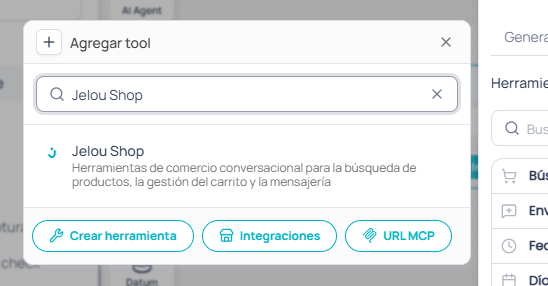
Configure the following tools:
View prompt
View prompt
3
Access cart information
You can get the cart data at any time using:The
cartData object contains the following structure: